
By WESWOO · October 29, 2026
Selling a camera in Shopify can begin with a single product. Helping customers understand the difference between the camera alone and a package, choose suitable accessories, and carry those choices accurately into the cart requires a connection between product data, the theme and the order. Customers should experience a working purchase journey: package contents change with the selected offer, accessory choices reconcile with the total, and the warehouse can see exactly what to ship after checkout.
This article uses the DJI Osmo Pocket 3 Creator Combo and Raspberry Pi 5 accessories as product references to explain how comparable requirements can be implemented in Shopify. Product facts come from official sources. The Shopify product structures, page modules and demonstration figures below are proposed implementations; they do not establish that either brand uses Shopify or that these implementations have been deployed in a client store.
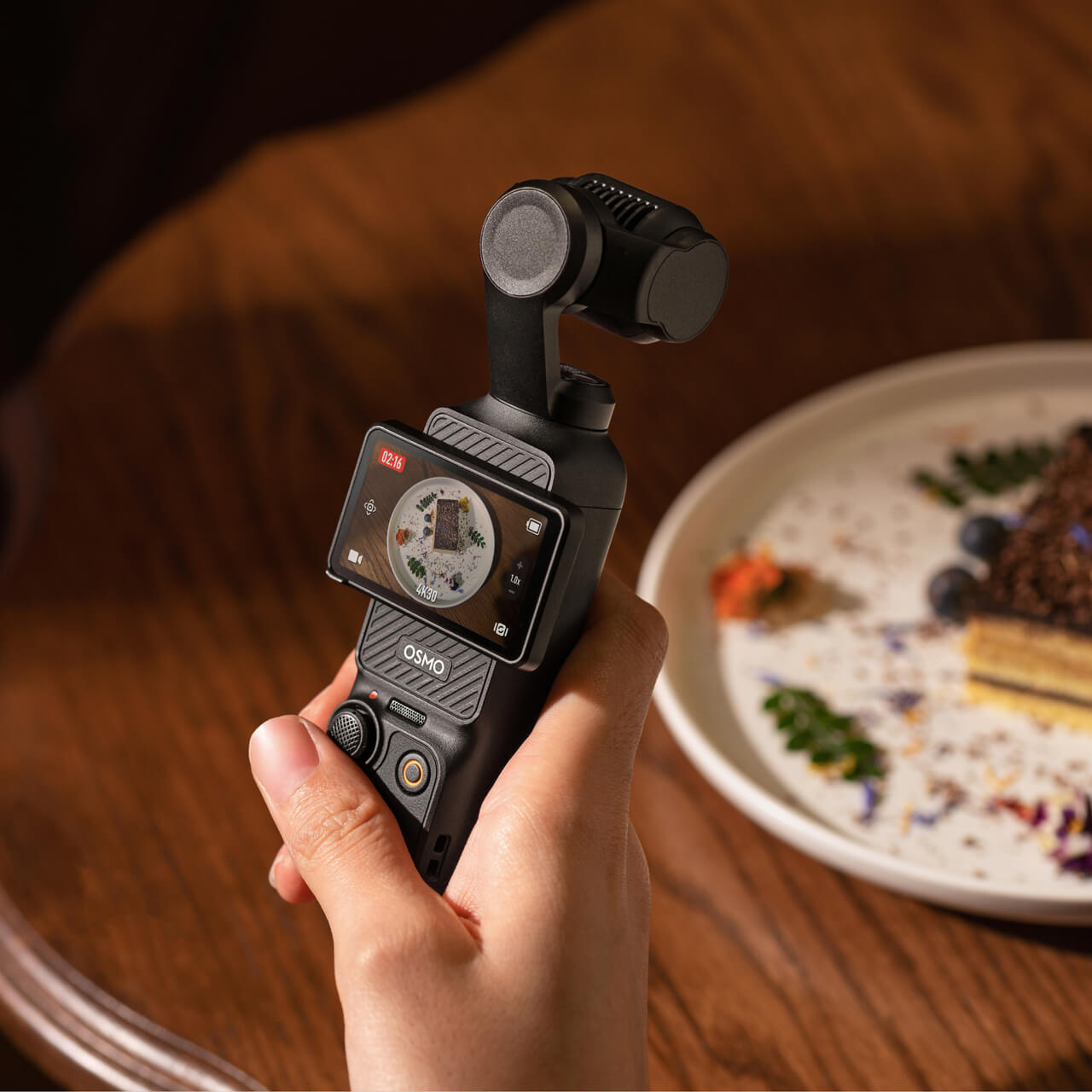
Official DJI usage photograph. In a Shopify product gallery, this image can explain the setting in which the product is used. The current product’s contents list near the purchase controls defines what is supplied; objects in the scene do not automatically become part of the package. Image source
Use two Shopify products for this camera-and-package example
DJI’s official store lists the camera and the named Creator Combo. The latter includes a Mic 2 transmitter, battery handle, mini tripod and carrying bag among its contents. To implement a comparable offer in Shopify, create two products, such as “Pocket 3 Camera” and “Pocket 3 Creator Combo,” each with its own SKU, price, media and inventory. The Shopify order then records the product the customer actually selected, rather than relying on a note that says “upgraded package.” Product reference
If the warehouse receives and ships intact factory boxes, manage these Shopify products against their respective boxed stock. Selling out of separately packaged microphones should not automatically remove the microphone from an intact combo, and standalone microphone stock should not be treated as stock of complete factory packages. Separate products keep the sales units in Shopify aligned with the physical units in the warehouse. The merchant-assembled combination discussed later uses a component inventory relationship instead.
Customers do not need to understand the distinction between two records in the Shopify admin. First define a product-reference list metafield called “Related package versions,” assign the two associated products as values, and have a “Package selection cards” section in the shared product template read that list. Each card shows the version name, a key difference and the corresponding product link. Clicking Creator Combo opens its own Shopify product page, with that product’s price, images and stock. These cards require a custom theme section; creating two products alone does not generate them. Displaying product-reference lists in a theme
To check this in a Shopify preview store, move from the camera to the combo and back again. Confirm that the selected card, URL, price and product added to the cart all agree. This makes the development outcome visible to the client: a product family becomes a set of easy-to-compare purchase options, with an accurate Shopify product behind each one.
Have the Shopify template read the current product’s package contents
A factory package’s contents should not live in one piece of copy shared by the entire series. Define a “Package contents” metafield in Shopify, fill it with the appropriate list for each product, and have an “Included with this purchase” block in the product template read the value. Moving between camera and combo pages then displays the current product’s contents, while the operations team has a consistent place to maintain the information. Shopify custom data
If the list needs reusable images, names, quantities and accessory links, first define a “Package item” metaobject. Create its entries and fill those values, reference the relevant entries from a product metafield, then have the theme section read them into cards. The sequence is to define the structure, populate the data and display it. Metaobjects store the information; image layout, quantity styling and expand-and-collapse interactions still belong to the Shopify theme. A complete bundle page is not generated automatically. Metaobjects
Place this block near the package selector and purchase button in the Shopify product information area. If the current product includes one microphone, state that quantity in its list. The product gallery can still use atmospheric filming scenes, while the template provides readable delivery information alongside them. Customers can understand both the use and the scope of the purchase.
The check is straightforward: change one package-contents entry for the combo in the Shopify admin and refresh its page. The updated entry should appear there, while the camera page retains its own list. This demonstrates that the information is bound to the product. If both pages still show the same old copy, correct the theme’s data binding rather than adding more text to a long product image.
Connect accessory recommendations to actual Shopify purchases
For accessories purchased alongside a camera, configure complementary products separately for the camera and combo in Shopify Search & Discovery, then display them in a compatible theme. A microphone already included in the combo should not remain its routine must-buy recommendation. The merchant configures these two recommendation sets; Shopify does not identify included accessories merely from a package name. Complementary product settings
If the client wants checkboxes, an “Add one extra” choice and a combined total, add an optional-accessories module to the Shopify theme. The merchant can still maintain the recommendation source, but each selectable item must correspond to a real sellable variant, use its price and availability, and make the additional charge clear. Search & Discovery supplies the recommendation relationship. Selection, total calculation and submission are additional development, not effects that appear simply by installing the app.
When the customer adds the selection, the module uses Shopify’s cart interface to submit the main product variant and the accessory variants explicitly chosen, then updates the cart from the actual response. “Add another microphone” must produce a real merchandise line. Putting those words in an order note does not make Shopify charge for the microphone, deduct its inventory or create the correct picking item. Shopify Ajax Cart API
In a client demonstration, first add the combo alone, then add the combo with an additional microphone. Compare the products and totals in the Shopify cart. If the design also includes a Buy it now route, verify whether it carries the selected accessories. Until that route supports them, send accessory selections through cart confirmation so that one purchase button does not include everything while another buys only the main product.
Use Shopify Bundles for a combination assembled from component stock
Raspberry Pi 5 accessories illustrate a different Shopify product arrangement: a merchant takes one board, one power supply and one cooler from shared stock to make a fixed offer. Pi 5’s official information recommends a high-quality 5V/5A USB-C supply. That requirement can become a clear power-supply selection note on the Shopify product page instead of a vague “universal USB-C” label. Raspberry Pi product reference
In Shopify, create the board, power supply and cooler as component products first, with their actual specifications and inventory. Then use the official Shopify Bundles app to create the fixed bundle, selecting the components and quantities per set. The customer buys a bundle product whose component relationships remain available in the backend. This is more precise than creating an ordinary product called “Kit” and asking the warehouse to remember which three items to pick. Shopify Bundles creation workflow
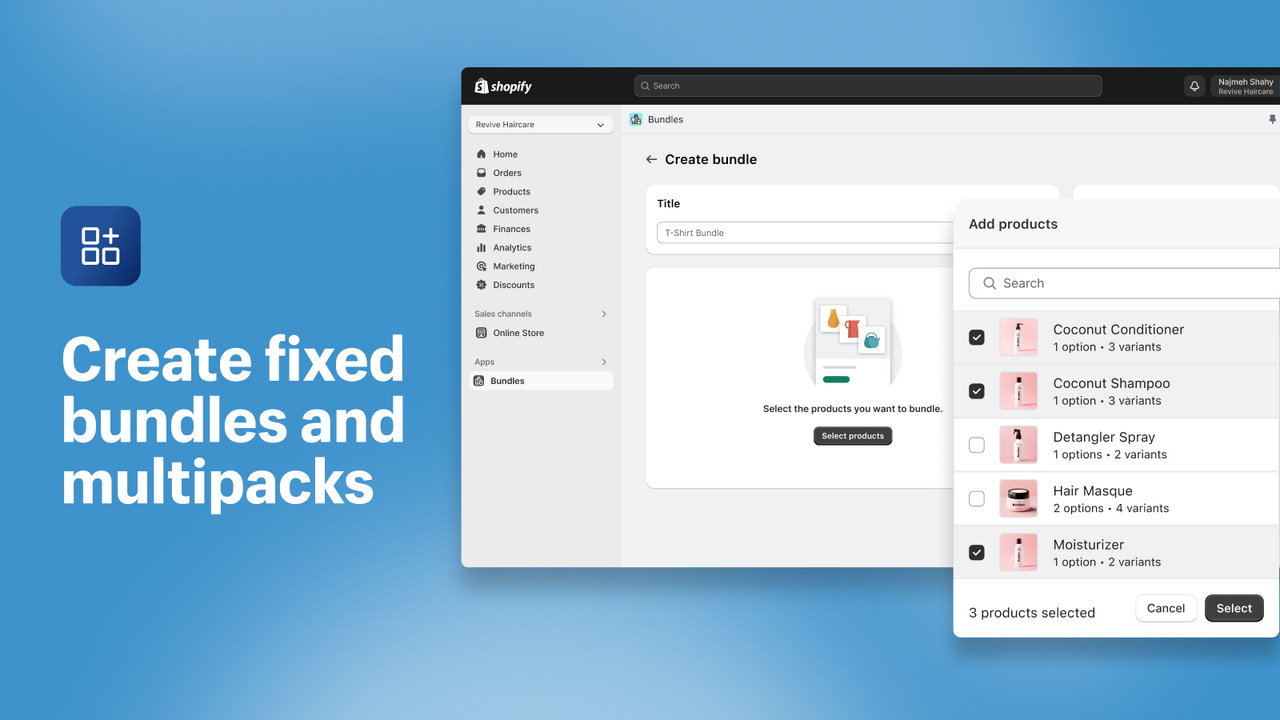
The fixed-bundle creation interface shown by Shopify’s official app, using its demonstration products. The corresponding implementation selects real components and quantities in Shopify before creating the offer. This is not a Pi 5 store built for this article. Image source
If the supply comes in different plug versions, create those variants for the supply product in Shopify first, then configure them within the permitted bundle options. The customer sees a specific plug-version choice, and the backend associates it with the corresponding power-supply variant. Changing a plug photograph while submitting the same inventory item would not implement that choice. Selecting specifications within fixed components is also different from allowing customers to add or remove components freely.
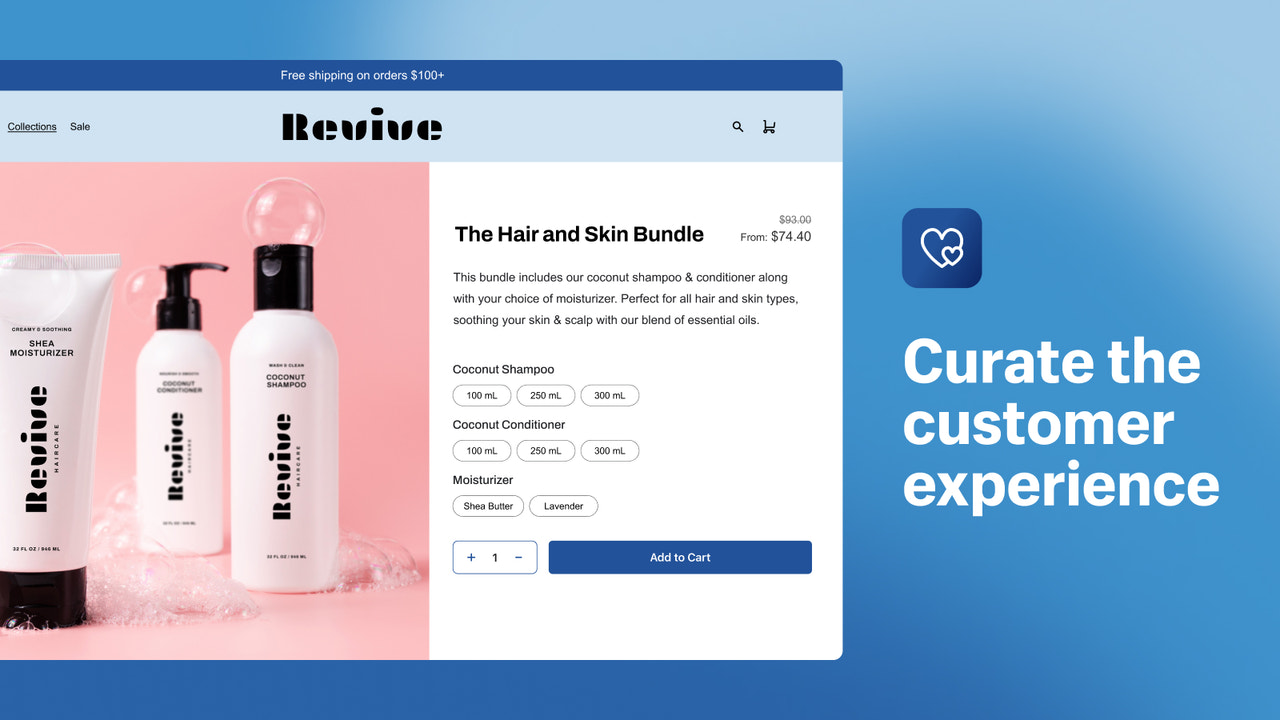
The official Shopify app’s storefront demonstration shows specification choices within a fixed bundle. The client’s preferred selection cards, information order and accessory experience still need to be implemented in the actual Shopify theme. This official illustration is not a delivered custom page. Image source
If the client asks buyers to “remove the supply if you already own one, then choose any two accessories,” the required Shopify bundle rules have changed. The official Bundles app does not support mix-and-match. The implementation scope must identify the need for a solution that supports that capability; a freely configurable interface should not be designed on the assumption that a fixed-bundle app will process it automatically. Bundle eligibility and scope
Give this fixed bundle a “You will also need” explanation in its Shopify product template, covering storage, system preparation and other conditions not included in the offer. The official Active Cooler installation photograph shows it attached to a board, but does not establish that buying the cooler includes a board. In Shopify, an installation demonstration and a package-contents list should have separate roles rather than allowing one image to imply two different delivery promises. Cooler product reference
Make Shopify inventory and prices support the page’s promise
Suppose available quantities in Shopify are 16 boards, 9 power supplies and 11 coolers, with one of each required per bundle. Under those simplified conditions, the stock can form nine bundles. After two supplies sell separately, enough components remain for seven. These are teaching figures. In an implementation, check the availability Shopify Bundles derives from component requirements instead of placing a permanently displayed “9 kits in stock” number in the theme. Component inventory rules
Also check whether the Shopify components track inventory and whether continued selling when out of stock is enabled, since those settings affect the availability calculation. Verify shipping against the merchant’s own inventory locations and delivery configuration as well. When components sit in different warehouses, an available bundle on the Shopify page does not by itself justify a promise that everything will arrive together in one box.
Bundle pricing needs a defined maintenance process in Shopify too. Component price changes in the official Bundles app do not automatically change the bundle price. Review any “buy separately” comparison and bundle price together with their presentation on the page. The theme can display the amounts, but the comparison basis and actual selling price must match the current product settings. A calculation made only in the frontend should not produce one price on the page and another at checkout. Bundle pricing documentation
Keep the purchase understandable in the Shopify order
The two product arrangements lead to different Shopify order relationships. An independently created factory-boxed product records the purchase of that box. A native Shopify fixed bundle retains the relationship between the bundle and its components. The theme’s cart drawer should present those relationships clearly, allowing the customer to distinguish accessories already included from an additional paid unit instead of showing unexplained quantities with identical names. Shopify bundle lifecycle
After-sales information must follow the same Shopify order structure. Listing accessories on the page of a factory box sold as an ordinary product does not automatically create component lines for individual refunds. Returning or replacing one item inside the box needs a defined merchant process. For native bundles, returns and subsequent handling need to read the component lines, actual order amounts, allocations and merchant policy; any exchange capability needs its own verification. The page should not promise that every type of package allows any one item to be returned freely. Bundle orders and returns
For client acceptance, walk through the journey in a Shopify preview and test orders: switch from the camera to the factory package and inspect its contents; buy an extra accessory and inspect the cart; buy the merchant’s fixed bundle and inspect the components, inventory and backend order. The client sees more than finished page layouts. Each action on the page corresponds to an identifiable product, amount and processing result in Shopify.
WESWOO’s deliverables for this kind of Shopify project should follow that same journey: how the version cards read associated products, how the operations team maintains included items, how accessories become real purchases, how a fixed bundle connects to component stock, and how the order reaches the warehouse. Each part can be demonstrated and checked in Shopify, giving the client a concrete basis for judging what the design and development have solved.
Sources checked October 29, 2026. This article presents product references and proposed Shopify implementations. It does not quote live brand prices, inventory or business results.