
A camping video shows a lamp, power supply, and mounting bracket working together. A customer follows the link to buy that setup, lands on the homepage, and starts searching. After finding the lamp, they still have to determine whether the power supply is compatible, whether the bracket is included, and which accessories they can leave out.
The purchase journey has separated the value that the content already explained.
A well-designed storefront can continue that experience: present the use scenario, explain its conditions, let the customer configure actual products, send those selections accurately into the cart, and preserve the relevant relationships through orders and support.
Shopify gives brands a commerce foundation on which to develop their own content entry points, selection tools, and purchasing flows. A practical design identifies the data objects, modules, interfaces, and apps responsible for each step.
This article uses a hypothetical outdoor lighting brand selling lamps, compatible power supplies, brackets, and suggested combinations. Product relationships illustrate a design method. Actual compatibility, performance, and availability must come from verified product information. No deployed client project or sales outcome is implied.
Prepared with AI assistance and reviewed by WESWOO. The lighting scenario is hypothetical. The screenshots are public theme demonstrations or official app presentation material, not WESWOO client projects.
1. Compare Control Over the Journey With Amazon’s Existing Capabilities
Amazon already offers substantial brand and merchandising functionality. A+ supports rich content and comparison modules; Premium A+ adds further formats, including video. Amazon Custom supports text, image, and product-configuration customization. Virtual bundles provide another way to offer complementary products together. Comparisons, engraving, and bundles therefore cannot be presented as exclusive advantages of an independent storefront. Amazon A+, Amazon Custom, Amazon virtual bundles
Amazon Attribution also measures how off-Amazon marketing contributes to Amazon shopping activity. Measuring social referrals is an existing Amazon capability. Amazon Attribution
The useful comparison concerns how much interaction logic a merchant can control and how far that logic extends through the purchase journey.
For the lighting brand, a customer might specify an installation position, confirm an existing power supply, choose a compatible lamp, and review the required bracket. Changing the lamp would trigger another compatibility check. The resulting configuration could be edited, saved, shared, and purchased.
That flow requires the brand’s own code, product relationships, and business rules. Amazon’s ordinary product-detail-page rules prohibit seller-authored JavaScript and other code. A merchant cannot deploy an arbitrary custom configurator directly inside a standard listing. Amazon product detail page rules
On a Shopify storefront, theme modules or apps can implement that interaction and connect it to merchandise and cart operations. Other independent storefront technologies can offer similar development freedom. Shopify supplies established product, inventory, order, and transaction capabilities as the foundation.
The design opportunity is to turn the brand’s product knowledge into a usable tool whose results carry into an actual purchase.
2. Locate Each Design Decision in Shopify’s Architecture
A workable implementation has four connected layers:
| Layer | Shopify foundation | Design responsibility |
|---|---|---|
| Merchandise and commerce | Products, variants, prices, availability, carts, and orders | Identify the actual items and options the customer will purchase |
| Product knowledge | Metafields and metaobjects | Maintain compatibility conditions, use scenarios, and guides |
| Pages and interactions | JSON templates, sections, blocks, and developed modules | Explain products and support comparison, configuration, and editing |
| Channels and feedback | Sales channels, referral links, customer events, and apps | Connect publishing, catalog distribution, and measurement appropriately |
JSON templates define page composition and section order. Sections provide configurable page modules, while blocks organize content within supported modules. A brand can create different product and scenario templates, then give the operating team appropriate editing controls. Shopify theme architecture, JSON templates
For the lighting brand, useful modules might cover installation conditions, compatible power supplies, scenario configuration, and required accessories. A product template and a scenario template can read shared information while arranging it around different customer questions.
Keep the source of each fact clear. A variant identifies the purchasable option; commerce data supplies current pricing and availability. Custom data describes product knowledge and relationships. Page modules present those facts, and custom logic evaluates selections.
This separation reduces unnecessary content maintenance. A price change should be reflected through transaction data rather than manually copied into multiple campaign graphics. A compatibility change should prompt a review of every module using that relationship.
Templates supply structure, fields supply facts, interaction modules evaluate choices, and carts receive actual merchandise. Shopify provides the underlying capabilities; the project still needs data modeling, design, and development to connect them.
3. Continue the Customer’s Specific Question After a Social Click
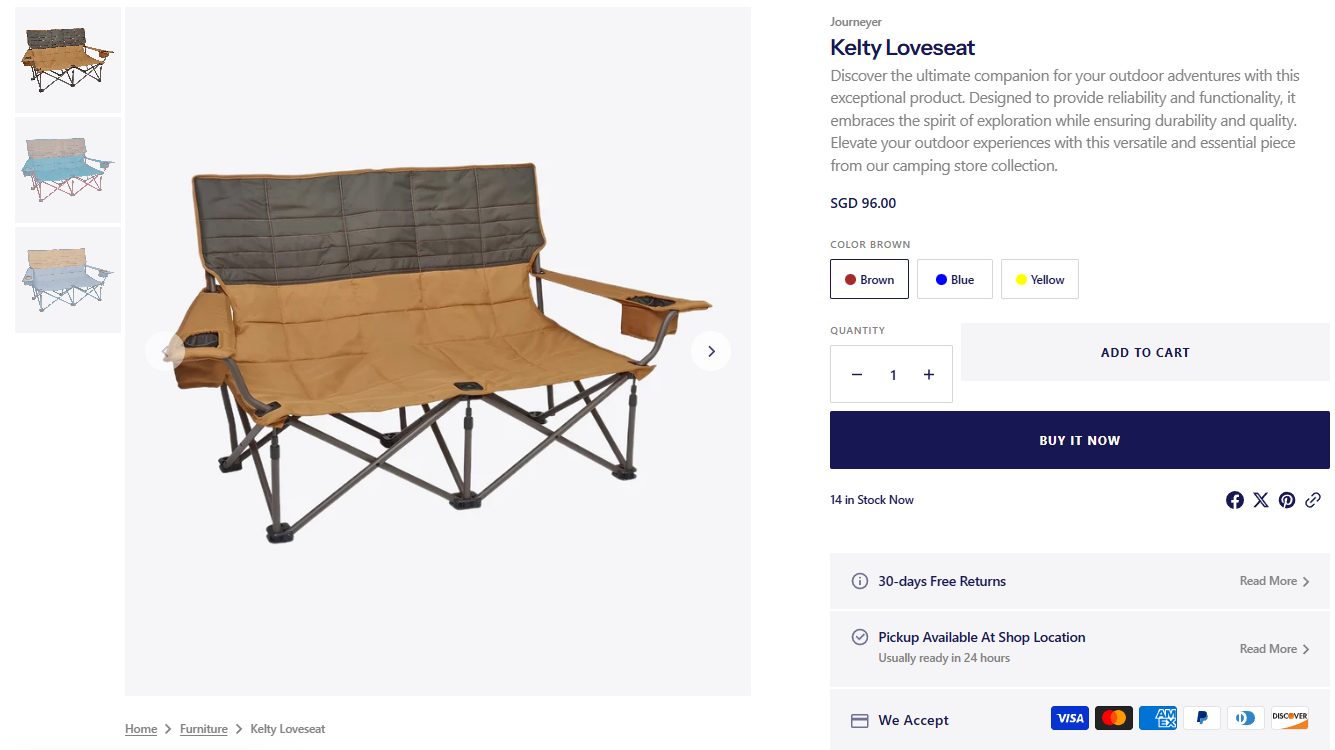
The same camping lamp can appear in a setup video, a detailed model review, and an installation tutorial. Those visitors need different next steps.
A setup video should lead to a scenario page that continues the demonstrated result, explains mounting conditions, lists required items, and offers configuration. A review should lead to a comparison page that makes meaningful model differences visible. A maintenance tutorial should lead to a guide with verified compatible replacement parts.
In Shopify, the team can define a scenario metaobject with fields for its name, approved media, installation guidance, and product references. Next, populate entries with verified values. Finally, configure or develop the template modules that retrieve those entries and their relationships. Reusable installation guides can follow the same definition, content, and retrieval sequence. Shopify metaobjects, Theme dynamic sources
Two relationships require explicit implementation. UTM parameters record campaign information; they do not automatically select another template. Establish the landing destination through the actual content link and page configuration. Product references supply a relationship, while the selection and cart interaction still need a working module.
When a content piece demonstrates a specific option, a regular Shopify product link can use variant deep linking. The product page should reflect the selected variant’s imagery, price, and state. An unavailable option needs a clear message instead of an unannounced substitution. Shopify variants and deep links
Social product tags have their own channel-controlled destinations. Do not assume every tag can point to a custom scenario page. The standard product destination should explain the relevant promise too.
Acceptance starts with a concrete question: can a visitor arriving from this particular content piece recognize the same use scenario and continue the decision it introduced?
4. Make a Configurator Produce Actual Purchasable Combinations
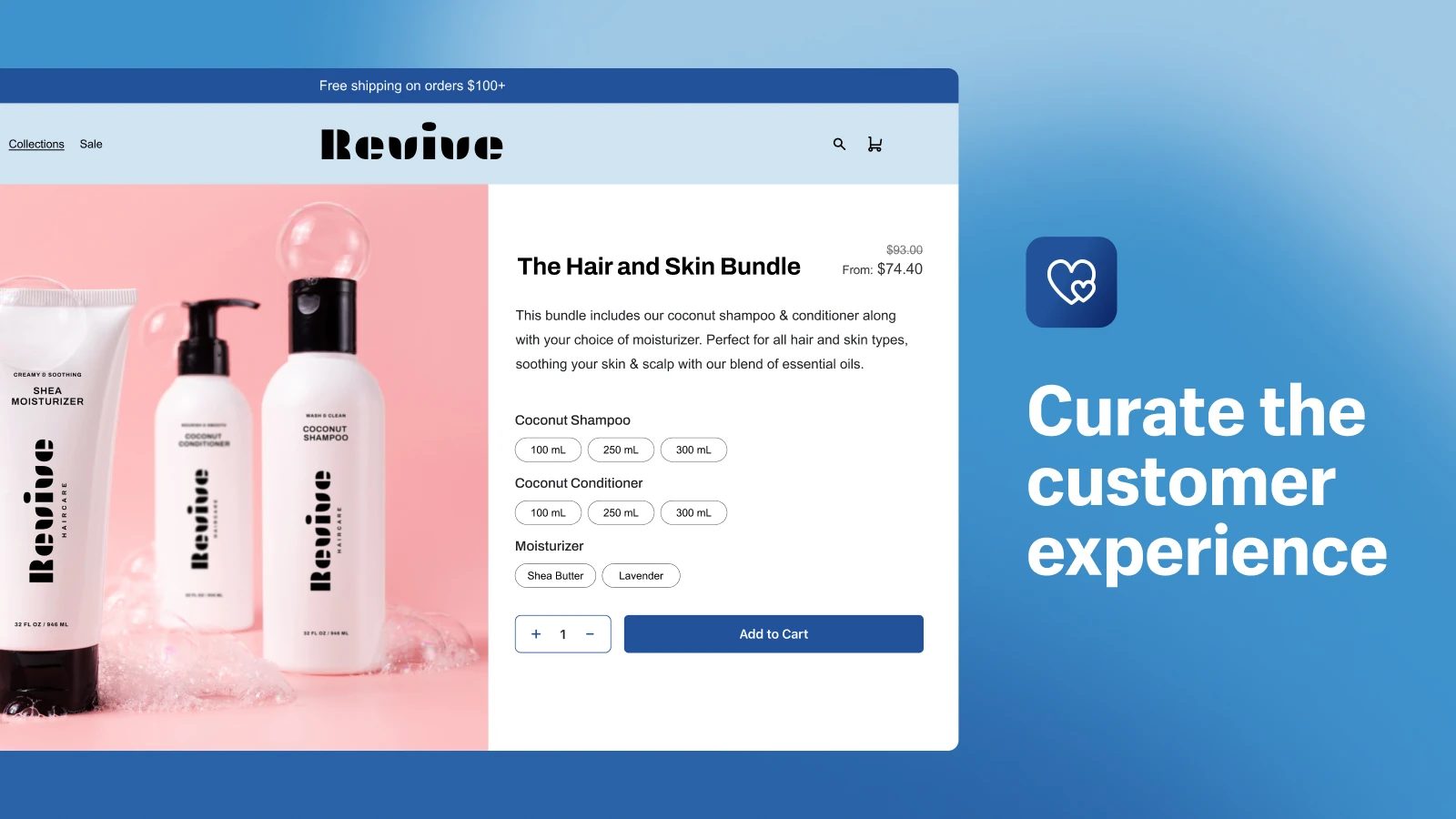
For the hypothetical lighting brand, the selection sequence could be:
Choose installation position → confirm an existing power supply → choose the lamp → confirm the bracket and other required accessories.
Each step should change the later choices and explain why. An installation position limits the suitable brackets. An existing power supply limits compatible lamps. Changing the lamp rechecks its power and mounting relationships.
Define the data before designing the interface. Lamp and variant records need verified compatibility and installation conditions. Accessories need explicit relationships with actual products or variants. Scenario entries need recommendations, explanations, and media. Current commerce data supplies availability, quantities, and prices.
The implementation order is to define field types and ownership, write the verified values, and then retrieve them in the module that performs selection. Conditions that vary by option belong at the relevant variant level. A single product-level value could otherwise describe one option correctly and another incorrectly. Shopify metafields
The completed configuration should identify specific variant IDs and quantities. In a Shopify-hosted theme, the Ajax Cart API can add multiple actual variants. Read the resulting cart to display its real lines and amounts rather than treating a locally calculated preview as the final transaction. Shopify Ajax Cart API
The interface also needs decisions for ordinary exceptions:
- A component becomes unavailable: identify the affected choice and ask the customer to confirm an alternative. Recheck the result before proceeding.
- The customer already owns an accessory: remove it from the purchase list while retaining the confirmed compatibility condition.
- The same variant appears in different configurations: target the correct cart line when changing quantity or properties. Distinct line properties can create separate lines for the same variant; a variant ID alone may not identify the intended line.
- The offer has a bundle price: adding several items does not automatically grant a discount or create a bundle SKU. The applicable bundle, discount, and inventory implementation must supply that behavior.
A configuration name can be recorded as a line property or another supported attribute. It gives useful context, while actual merchandise, inventory, and transaction rules remain authoritative.
If the storefront uses a separate frontend, implement cart operations through the Storefront Cart API and use its checkout URL to enter Shopify checkout. A hosted-theme Ajax cart implementation should not be copied unchanged into a separate frontend. Storefront cart management
The deliverable is a testable path: choices have visible effects, the cart receives the intended variants and quantities, and the order accurately reflects the confirmed configuration.
5. Develop Sizing, Saving, and Sharing as Product Features
Brands can turn pre-purchase judgment into a useful tool. A storage brand might compare a customer’s available space with verified product dimensions, installation clearances, and approved combination rules, then return appropriate products and quantities.
The lighting brand can use installation position, fixing method, and existing equipment to support selection. Calculations involving lighting performance or engineering require validated methods and applicability conditions. Unresolved situations need a consultation or confirmation route.
A recommendation should explain its reasoning, its conditions, and the actual items to be purchased.
Customers may also want to share a configuration or return later. A developed saving service should preserve variant selections, quantities, input conditions, and the rule version used. Reopening a configuration requires fresh price and availability checks and a review of whether its original relationships remain valid. An old price shown in a saved image cannot become a current commitment.
Anonymous sharing and personal saved configurations need different access designs. A public link should expose only approved configuration information. Account-specific plans need identity and authorization checks in the application.
These functions require frontend interaction, storage, and application services. Shopify supplies the merchandise and commerce foundation; the brand develops the tool and connects its output to purchasing.
Social tutorials can then lead users into the relevant tool, where they continue, save, or modify their own configuration.
6. Separate Publishing, Catalog Distribution, and Measurement

Authorizing a social account establishes only one part of a commerce connection. Verify three separate paths.
Content publishing and landing destinations
WEMedia Publisher with Yixiaoer can distribute Chinese-language content, while Postiz can distribute overseas content. These tools manage platform copy, assets, and publication.
Where links are allowed, use a destination matching the content’s purpose. For placements without clickable links, design the handoff around the platform’s supported options. A successful publication confirms that content was delivered; Shopify catalog, inventory, order, and pixel connections need separate implementation.
Product catalogs and sales channels
Shopify sales channels connect product information with a platform’s shopping capabilities. Facebook and Instagram by Meta use connected catalog and business assets to support Facebook Shop, Instagram Shopping, and Facebook Marketing. Current Shopify guidance describes customers being redirected to the merchant’s online store to complete purchase; eligibility and channel configuration still apply. Facebook and Instagram by Meta setup
For eligible stores, TikTok Shop’s Shopify channel can synchronize catalog, inventory, orders, and fulfillment. Confirm the current supported country or region, account, and product requirements before implementation. A logged-in TikTok publishing account does not establish TikTok Shop eligibility. TikTok Shop setup
A custom cross-product configurator does not automatically travel with catalog synchronization into product tags or shopping tabs. Platform shopping and storefront configuration need their own design and acceptance checks.
Referral records and purchasing behavior
Establish consistent UTM conventions for channel source, campaign, and individual content or creator version. These make destinations and subsequent behavior easier to compare. Shopify marketing performance
A configurator can publish custom customer events for starting, completing, or encountering an incompatible selection. Shopify supports publishing such events, but a pixel or another tool must subscribe, map, and send them to the appropriate destination. Arbitrary custom events do not automatically appear in every existing report. Publishing custom customer events
Referral parameters also do not provide complete cross-device identity. Respect customer consent signals, and check channel pixels and theme scripts for duplicate installations or events. Customer Privacy API, Meta Pixel guidance
With these three paths working, the brand can investigate whether visitors from a content piece complete a suitable configuration and where further help is needed.
7. Make Visual Presentation Agree With the Selected Merchandise
Visual design has a concrete explanatory role in complex product journeys.
After selecting a lamp and bracket, the customer can see an approved illustration of that combination. Changing the mounting method can show the corresponding procedure. Package-content views should distinguish included components from items selected separately.
Shopify product media supports images, video, and 3D models, with storefront presentation depending on theme support or the relevant development. Shopify product media
Uploading a model and assembling several products interactively are separate requirements. A configurable visual assembly needs appropriate component assets, verified product relationships, and rendering logic. It should not be described as an automatic Shopify feature.
Map visual states to actual selections: color, components, and mounting method should match the current configuration. Check loading and interaction on mobile, and provide understandable images and itemized details where a rich presentation is unavailable.
Visual appeal supports the purchase when the customer can trust that the illustrated arrangement corresponds to the merchandise entering the cart.
8. Recheck Cart Changes Within Shopify’s Checkout Boundaries
The cart is where configuration relationships can change again. Suppose a customer removes the power supply from a selected lighting setup. Does the customer already own a confirmed compatible unit? Is another component now required? If the lamp changes, does the bracket still fit?
The theme cart can explain these conditions, offer editing, and guide the customer. When a business rule must prevent an invalid configuration from reaching an order, use an app with the applicable Cart and Checkout Validation capability to enforce it at the transaction layer. Shopify Cart and Checkout Validation
Validation can reject a transaction that fails a rule and explain the problem. Replacing merchandise or recalculating the configuration remains the responsibility of the configurator or an appropriate application.
Plan and app distribution boundaries affect the solution. Subject to the individual API’s requirements, public apps distributed through the Shopify App Store can offer Functions across supported plans. Custom apps containing Shopify Functions are restricted to Shopify Plus. A project on another plan cannot assume a bespoke custom Function is available. Shopify Functions availability
Checkout UI has separate boundaries. Extensions in the information, shipping, and payment steps require Shopify Plus. Thank-you and order-status extensions are available on plans other than Starter, with the relevant app and configuration still required. Checkout customization technologies
Decide which choices belong on the configuration page, which can be edited in the cart, and which need enforceable transaction rules. Then verify that the store’s plan and selected apps support the implementation.
Post-purchase design can continue the product relationship. Actual ordered lamps and brackets can lead to the corresponding installation guide. Verified existing equipment can inform compatible accessory suggestions. Order association, account access, and content presentation require implementation; continued marketing needs the appropriate permission.
Acceptance should include accelerated purchase paths and cart changes, so an interface shortcut cannot silently bypass a rule the business requires.
9. Deliver the Experience Through Defined WESWOO Responsibilities
WESWOO’s brand design, Shopify development, and integration work can organize this project around five concrete deliverables.
Content and entry design: map scenario videos, reviews, purchase guides, and maintenance content to destinations with a clear next action.
A product data model: define merchandise, variants, compatibility, scenarios, and guides, including verified sources and operating responsibilities.
Branded interactions and theme modules: turn the visual direction into scenario templates, comparison modules, configuration controls, and mobile states that the team can maintain.
Cart and app integration: carry the correct variants, quantities, and configuration context into commerce; handle availability, pricing, order details, and required validation within supported capabilities.
Channel and experience acceptance: test publication links, sales-channel connections, and event collection separately, then have users configure, edit, and purchase actual selections.
The acceptance questions are specific. Does a content link reach the demonstrated scenario? Does changing the main product recheck accessories? Does a missing component affect the complete offer? Does a cart edit target only the correct line? Do accelerated paths respect required validation? Does the installation guide match the actual order?
These checks establish whether the design works in real operations. Comparing page screenshots with a design file cannot answer them all.
Independent storefront product design gives a brand the means to organize understanding, configuration, purchase, and use through its own content, data, and rules. Shopify provides the merchandise and transaction foundation. WESWOO connects brand design, theme development, applications, and channels into a usable customer journey.