
Electric bicycles
CYCROWN
CYCROWN's US store combines many bike types, price tiers and aggressive promotion. Filtering, comparison, financing and accessory relationships prevent the experience from collapsing into discount shopping.
Visit the live project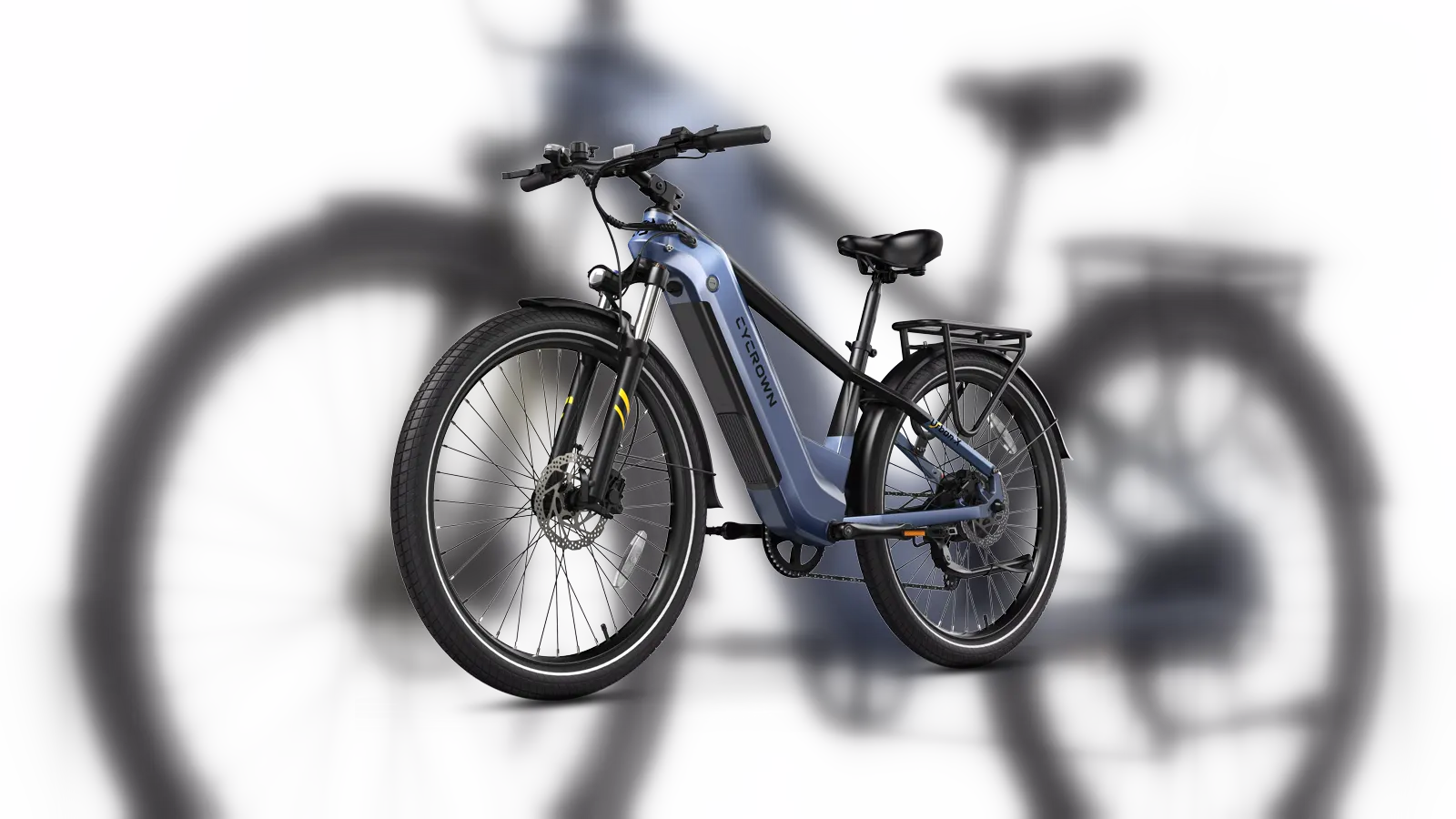
Core implementation review
Three storefront journeys from model choice to purchase
CYCROWN sells commuter and all-terrain e-bikes to US riders. Urban X, Nomad Pro and neighbouring formats sit beside financing, accessories and a near-constant sale calendar. The storefront has to keep those layers from collapsing into discount shopping: route by riding use, keep the sellable bike SKU unambiguous, then let campaigns and the cart operate without rewriting what was selected.
Project context
Define how customers choose before defining the storefront
Use and budget lead into filtering by power, battery, sensor, speed, range, frame and load across Urban X, Nomad Pro, Roma and CycHunter. Affirm, reviews, video and local support complete the decision.
WESWOO stabilizes a promotion-heavy store through product data and use-case filtering so fit precedes discount, while accessories, app and support connect the full bike lifecycle.
Do not send commute and fat-tire riders through the same door
Shoppers should reach a collection by riding context, not by whichever countdown is loudest on the homepage.
- 01Enter by commute or fat-tire use
- 02Narrow the range with a quiz or filters
- 03Read power, range and frame on the collection
- 04Open the matching model page
Implementation
- Homepage panels switch between commuter and fat-tire ranges through category-tab-content.js, with collections owning the use-case split instead of one discount grid.
- ebike-quiz-simple.js maps riding context to a suitable range rather than dropping the shopper onto the lowest-priced SKU.
- search.js calls the Predictive Search API so typed queries return models and collections that share the same use-case language.
Deployment and acceptance
- Model tabs, quiz copy and collection content can be edited without touching the variant matrix or the add-to-cart request.
- The quiz overlay stays clear of the primary purchase control, and search keeps loading and empty states.
- Riding stories remain content objects, not option values on a sellable bike.
- Shoppers confirm commute versus all-terrain use before they meet a price or campaign.
- New models become findable once they join an existing use-case collection and quiz range.
View script and Shopify API evidence
category-tab-content.jsebike-quiz-simple.jssearch.jsPredictive Search APIPut colour and battery in variants; leave locks and helmets out of the option list
The product page has to make the bike SKU obvious. Accessories can complete the cart, but they must not rewrite what the vehicle is.
- 01Choose colour or battery pack
- 02Sync gallery, price and availability
- 03Confirm the bike through specs and riding content
- 04Add locks and helmets as related products
Implementation
- Product and variant objects own the sellable SKU. Colour or battery drives media, price and the product form; accessories never become host options.
- Swiper holds riding footage beside frame, tyre and battery close-ups, while specification cards sit apart from campaign chrome so body colour cannot bury fit.
- The Product Recommendations API uses the current bike as context for locks, helmets and similar add-ons, keeping riding stories outside the variant matrix.
Deployment and acceptance
- Gallery, specifications and the buy box stay independently editable; section reloads in the theme editor rebind the carousel, variant controls and form.
- Desktop can pair media with the buy box; mobile folds long parameters into disclosures and keeps countdowns and coupon entry below the primary purchase control.
- Collection cards surface power and range so a sale price never stands in for model explanation.
- Add-to-cart always refers to the selected bike SKU, and accessories do not bloat the variant matrix.
- Shoppers can read riding context and the numbers that decide fit in the same view, instead of only seeing paint or a coupon layer.
View script and Shopify API evidence
theme.jsswiper-bundle.min.jsProduct form behaviorVariant behaviorMedia/model behaviorProduct Recommendations APILet the sale hurry the order without rewriting the bike in the cart
Coupons, countdowns and financing can stay in view as long as they remain presentation, and the cart continues to recognise the selected bike.
- 01Confirm the active bike variant
- 02Add it through Ajax Cart
- 03Refresh drawer lines from the response
- 04Handle coupons and financing on the presentation layer
Implementation
- cart.js submits through Cart Ajax add, change and update, and the drawer treats the returned cart payload as the line-item source.
- coupon-drawer.js and custom-countdown.js own coupon and countdown state, so campaign chrome never writes into product-form fields.
- Financing messages appear on the product page and cart drawer as display copy, not as a host option value in the add request.
Deployment and acceptance
- Flash copy, countdowns and the coupon drawer can ship on their own, without changing the add-to-cart request.
- After a Section Rendering API or theme-editor reload, cart, quiz and carousel widgets rebind so leftover listeners do not desync the selected bike.
- The native product form still submits if campaign scripts fail, so a sale overlay cannot block purchase.
- The cart identifies the selected model after add-to-cart; a discount does not overwrite SKU identity.
- Merchandising can refresh flash offers and coupons without touching the variant matrix or the purchase request.
View script and Shopify API evidence
cart.jscoupon-drawer.jscustom-countdown.jsCart Ajax: addCart Ajax: changeCart Ajax: updateaffirm-product-handler.jsaffirm-cart-drawer-embed-handler.jsSection Rendering APIShopify section eventsShopify theme editor modeOperational handoff
The operating team can continue after launch
- Collections route commute versus fat-tire discovery, with Urban X, Nomad Pro and related models as their own products.
- Colour or battery packs belong in variants; locks and helmets stay related accessories rather than host option values.
- Power, range, frame and class are maintained as comparable fields, and riding stories remain outside the sellable SKU.
- The live transaction context is US English and USD, so class language, range in miles, local service and financing copy are maintained as United States content.
- Financing copy stays on the product page and cart-drawer presentation layer and must not become a host option value.
- Model tabs, campaign bars, quiz copy and policy modules can update independently of the variant matrix and cart request.
Research notesPublic sources and verification boundary
Public research sources
Content verification
Industry, product and observable feature notes are verified against the brand site. Apps, admin configuration and commercial data that cannot be confirmed from the storefront are not inferred. WESWOO scope is stated only from project records and client authorization.
Public information last reviewed: 2026-08-12