
Food and condiments
RishRight
RishRight brings Chinese chilli oil into everyday UK meals through recipes, flavor and discovery sets. Shopify's role is to reduce category education and first-trial friction.
Visit the live project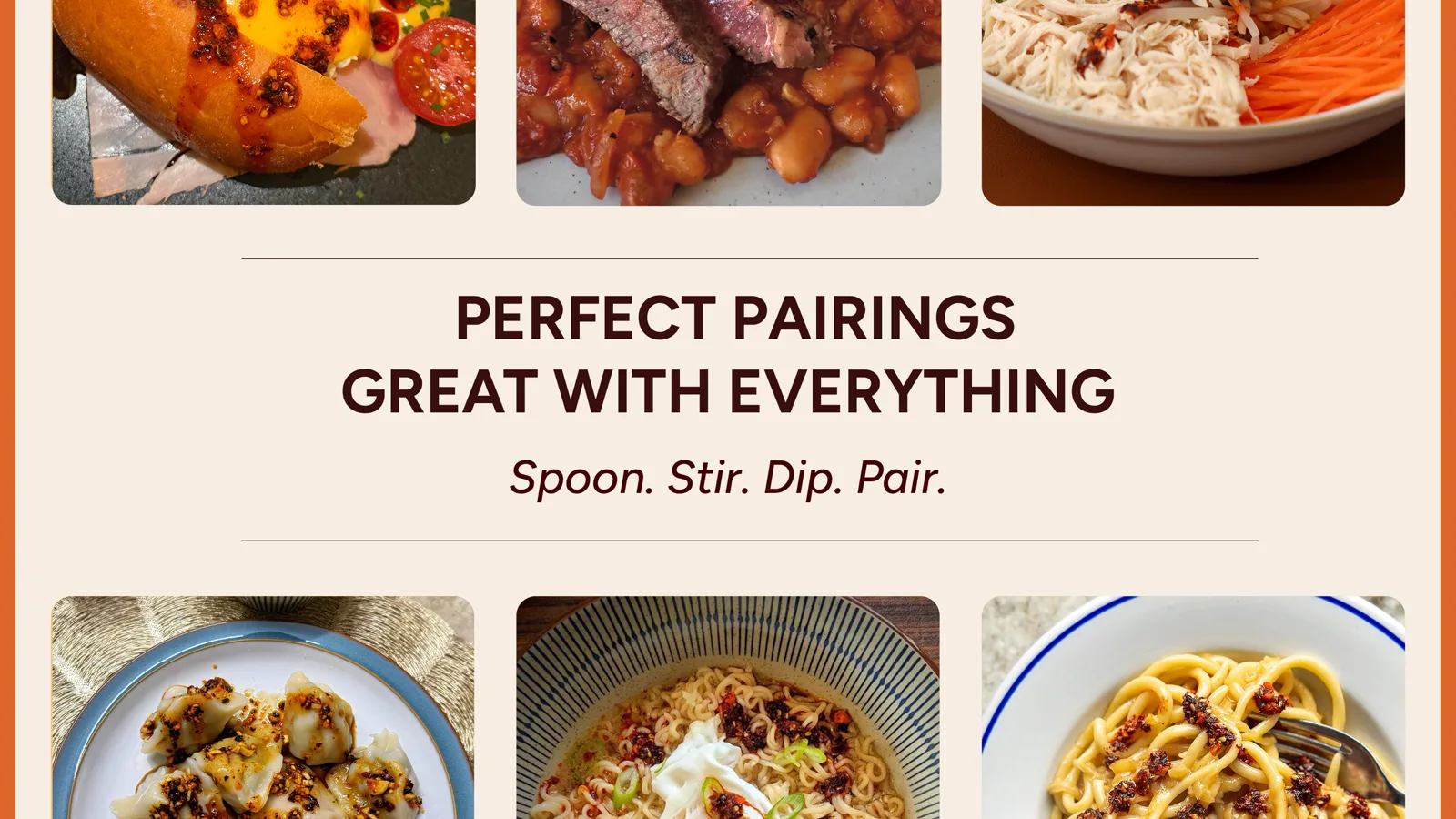
Core implementation review
Three storefront journeys from model choice to purchase
Putting Chinese crispy chilli oil on everyday UK tables is not a matter of more red styling. Shoppers who have never cooked with it need heat, use and the contents of a tasting box before they will buy a single jar or a set. Recipes, flavour copy, bottles, gift boxes and the cart therefore share one operable product record, instead of a content site that cannot check out.
Project context
Define how customers choose before defining the storefront
Customers enter through Yo Po, Fresh Qin, Garlic Blend, Traditional or Golden Drizzle, or lower trial risk with an Ultimate Taste Box or Gourmet Set. Recipes, pairings, reviews, stores and free-shipping threshold complete the decision.
Shopify food-brand frontend, products and bundles, recipe content, quick add and responsive UX.
Treat the tasting box and the flavour bottle as two different jobs
Someone new to the category should be able to try a set; someone who already knows a flavour should land back on that bottle. Both paths have to share the same flavour lines rather than two catalogues that ignore each other.
- 01Enter on a flavour line or a tasting box
- 02Read heat, use and what is in the set
- 03Choose a bottle or a lower-risk box
- 04Add to cart and see neighbouring flavours
Implementation
- Single chilli-oil SKUs stay separate products from the Ultimate Taste Box and Gourmet Set. Collections group flavour lines; variants hold size; the box is not an option on the bottle.
- The product page offers both a bottle path and a gift-box path, so the shopper settles flavour, heat and use before deciding on a first tasting or a known jar.
- product-form.js and product-info.js own the active product’s variant and add-to-cart. The Product Recommendations API uses that product context to surface the box from a bottle, and the matching bottles from a box.
Deployment and acceptance
- Use, ingredients and pairing sit in sections and blocks bound to product objects, so merchandisers can reorder them in the theme editor without touching the product form.
- Subscriptions remain on the app-extension boundary and never join the product-form state, so box and bottle inventory do not overwrite each other.
- After an Ajax Cart add, the drawer refreshes the quantity popover and related-product area together, keeping set and single availability readable.
- A first purchase can be a tasting set; a return visit can go straight to one flavour bottle, without both jobs competing for the same control.
- A new flavour enters recommendations by following the bottle-and-box product relationship, instead of a second hand-built pairing list.
View script and Shopify API evidence
product-form.jsproduct-info.jsProduct Recommendations APIquick-add.jsquantity-popover.jscart-drawer.jscart.jsCart Ajax: addPoint every recipe at a product that can actually be bought
People often meet the brand as a dish, then ask which jar belongs on the plate. Recipes, search and pairings have to resolve to the same purchasable SKUs, or the education never becomes a cart line.
- 01Start from a dish or a flavour name
- 02Land on the matching purchasable product
- 03Check the same use copy on recipe and PDP
- 04Add that bottle or box to the cart
Implementation
- Recipe pages reference the same bottles and boxes sold on product pages, with serving copy bound to the product object instead of locked inside an article.
- predictive-search.js talks to the Predictive Search API so a typed dish or chilli name can resolve to products and flavour lines while the shopper is still typing.
- Pairing blocks on the PDP read that product object through schema settings, so the jar named in a recipe is the jar the form will add.
Deployment and acceptance
- Recipe, store-finder and club strings stay in theme settings and do not require edits to the product-form scripts.
- Theme-editor rearrangements of recipe or pairing blocks follow the section lifecycle and remount only the block that changed.
- Shared flavour language can be reused; ingredients, allergens and shelf life remain UK-store fields so campaign copy cannot overwrite compliance text.
- Someone who arrived through a dish can buy the jar that was on the plate, without guessing the flavour from the homepage.
- Updating a recipe or a pairing block keeps the purchasable product in the same data, rather than leaving a second, stale mention on the PDP.
View script and Shopify API evidence
predictive-search.jssearch-form.jsPredictive Search APIShopify theme editor modeShow the jar, the chilli and the finished dish before asking for a purchase
A food page has to answer what is in the box, how it tastes and how to eat it, then present the buy action. Heat and allergens need to be scannable; a wash of red is not a flavour system.
- 01See the bottle, the texture or the bottles in the box
- 02Scan flavour and heat
- 03Open ingredients and allergens
- 04Add only after that check
Implementation
- Bottle, chilli texture and plated close-ups share one appetite-led proportion, sequenced as contents, taste, use, then purchase.
- Flavour and heat use a colour chip plus text. Bundle media has to let a shopper audit each bottle in the set, not only the gift-box exterior.
- Allergens and ingredients sit in a high-contrast, enlargable disclosure, visually separate from marketing headings. media-gallery.js owns bottle and dish media; details-disclosure.js owns the folded reading.
Deployment and acceptance
- The mobile cart drawer and quick-add avoid covering the ingredients disclosure, so the buy layer cannot hide the compliance read.
- Label inspection uses the product modal; carousels run on Swiper and do not fold allergen copy into decorative motion.
- Content blocks can be reordered in the editor while add-to-cart and media remain bound to the product object.
- Before adding, a shopper can see which heat they chose, which bottles are in the box, and whether they can eat it.
- When the cart overlay appears, ingredients and allergens remain findable instead of disappearing under the drawer.
View script and Shopify API evidence
media-gallery.jsdetails-disclosure.jsproduct-modal.jsSwiperquick-add.jscart-drawer.jsanimations.jsOperational handoff
The operating team can continue after launch
- Bottles remain separate products from the Ultimate Taste Box and Gourmet Set. Collections group Yo Po, Fresh Qin and the other flavour lines; size lives on variants.
- Ingredients, allergens and serving context sit in merchant-editable product fields. Recipe pages point at those purchasable products rather than trapping use in a one-off essay.
- Bundle media has to show the bottles inside. Recommendation slots read the same product objects instead of a second, typed pairing list.
- The storefront serves the UK in English and GBP, with en-GB checkout. Ingredients, allergens, shelf life, delivery and returns follow UK food and retail rules, not campaign copy.
- Free-shipping thresholds, physical stores and club campaigns stay operational settings, outside the product form.
- Flavour language can be reused across pages; price, stock and promotions remain UK-store edits.
Research notesPublic sources and verification boundary
Public research sources
Content verification
Industry, product and observable feature notes are verified against the brand site. Apps, admin configuration and commercial data that cannot be confirmed from the storefront are not inferred. WESWOO scope is stated only from project records and client authorization.
Public information last reviewed: 2026-08-12