
A conversion journey does not begin with a pixel or end when Shopify creates an order. It asks whether the ad leads to the right product, the mobile page explains options and total cost, checkout completes, events arrive correctly, and the sale remains profitable after fulfillment and refunds.
AI assistance disclosure: AI assisted the research synthesis and drafting of this article. Platform capabilities and measurement details should be read against the linked official documentation. The commercial example is hypothetical and describes no real client or result.
01 | Define the buying task before building the campaign
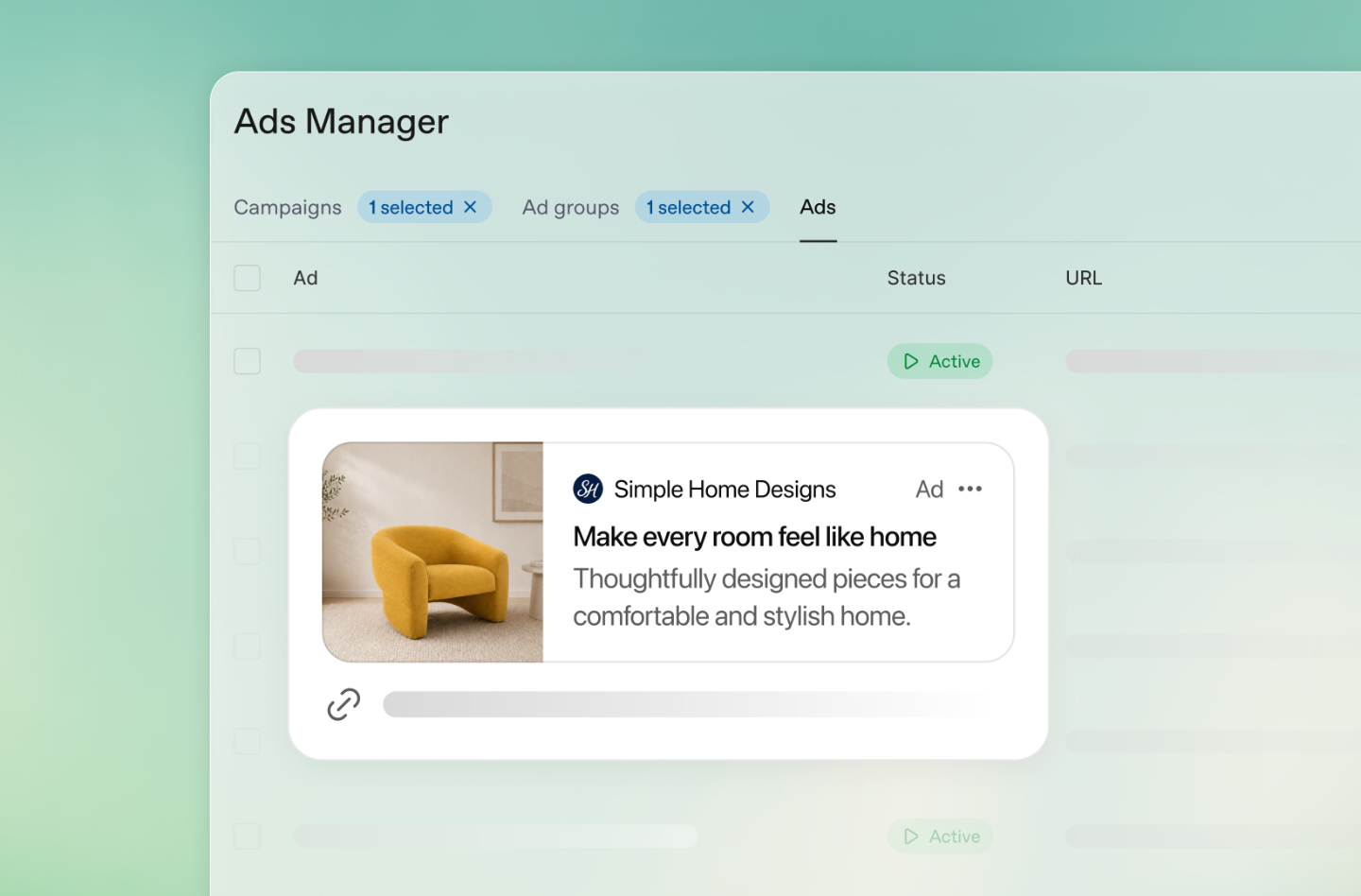
ChatGPT Ads context hints describe where an offer may be relevant. They are not exact-match keywords or a delivery guarantee. OpenAI considers conversational intent, landing page, creative, context hints, and, when personalization is enabled, selected broader signals. Start with the customer’s buying task. OpenAI Ads basics
Take a fictional DTC outdoor brand, Northline, selling hiking backpacks. A shopper may need a compact day pack, a larger overnight pack, or a weather-ready option for a multi-day route. Each requires different capacity, fit, rain protection, and budget trade-offs. An ad promising an overnight pack but opening the store homepage makes the visitor restart the research.
For each creative, record the audience, problem, verifiable product facts, SKU or collection, price and shipping promise, eligible market, and next action. Variations can discuss different benefits, but facts must match the destination. OpenAI recommends clear, benefit-focused copy and accurate offers. OpenAI’s ad guidance
02 | Route each intent to a product, collection, or landing page
A specific-product ad should usually open that product page. A broader comparison can lead to a curated collection. A question requiring education may merit a dedicated landing page. OpenAI recommends relevant product, collection, or content destinations instead of defaulting to a generic homepage, with a clear connection between the ad and page. OpenAI landing-page guidance
For Northline, an ad for a day pack could lead to an 18–24-liter collection comparing weight, fit, weather protection, and stock. An overnight ad could compare 28- and 38-liter packs before linking to products. A generic destination makes it hard to distinguish poor audience fit from poor page relevance.
Plan the destination alongside Shopify data. Product, variant, collection, currency, market availability, and inventory should use the same source of truth. Extra content—such as a packing list or fit guide—should be maintainable, not a disconnected page no one updates. WESWOO describes work spanning Figma information architecture, Shopify frontend modules, and responsive interaction. Plan brand expression and the shopping task together. WESWOO
An intent-to-landing matrix makes that decision reviewable before media spend begins:
| Ad intent | Recommended destination | First-screen proof | Main next action | Shopify source to verify |
|---|---|---|---|---|
| “A light pack for a day hike” | Curated 18–24L collection or a matching product page | Weight, capacity, fit range, current price | Compare the two or three eligible packs | Collection membership, product facts, market price, inventory |
| “Will this fit an overnight load?” | Comparison page for 28L and 38L options | Capacity comparison, example packing list, dimensions | Open the best-fit product | Product metafields, images, variant availability |
| “I need a rain-ready pack” | Product page with weather limitations clearly stated | Actual fabric treatment, included cover, care guidance | Select a stocked variant and add it | SKU, stock, specification, shipping eligibility |
| “What does the promotion include?” | Promotion page or eligible collection | Discount, dates, exclusions, eligible market | Shop qualifying items | Discount configuration, market and collection rules |
Treat every row as a contract between media, merchandising, and development. The marketer approves the promise and URL; merchandising confirms product facts and eligible stock; the developer checks that the Shopify fields driving the page are populated. If the campaign changes from a collection to a single product, update the matrix and acceptance URL instead of relying on memory. This is especially useful when several creatives share a theme but make different claims.
03 | Use Figma to connect brand expression with the buying path
Figma can test the buying path before implementation. A prototype should place the ad claim, product, specification, price, variant selector, stock, shipping, returns, and purchase action. Review mobile separately because small screens change information order, button size, and visibility of folded content.
Start with the ad preview and ask: can a visitor recognize the product, verify capacity or fit, see what is in stock, and estimate shipping before adding it? If a hero image pushes the buy control far down or important facts sit behind several accordions, revise the hierarchy. Map Figma sections to Shopify sections and product fields so a design element such as estimated delivery has a reliable data source.
Use direct product pages for high-intent ads, comparison pages for research tasks, and promotion pages with clear eligibility and expiration terms. Keep a stable URL and version record for each meaningful destination. This allows later comparison of add-to-cart, checkout progression, and net orders for the same market and time window.
The Figma handoff should carry behavior as well as appearance. Annotate which fields are Shopify data, what changes when a variant is selected, how sold-out states appear, where a delivery estimate comes from, and what happens when a promotion is not eligible. Include empty, loading, unavailable, and error states; a polished default state does not tell the implementation team what to show when inventory is zero or a market cannot be served. Give each prototype frame a stable name and identify its corresponding Shopify template or section. The implementation can preserve the intended hierarchy without hard-coding product-specific content into a reusable theme module.
Use a short review checklist with a representative customer task. For example: “I am planning a two-night trip, want an olive pack, and need to know whether it ships to my region.” A reviewer should be able to move from the relevant ad claim to capacity evidence, an in-stock variant, the delivered price expectation, and checkout without inventing missing information. Record unresolved questions as explicit scope items. This prevents design sign-off from being confused with operational approval of prices, shipping promises, or legal terms.
04 | Make the mobile product page agree on variants, price, stock, and shipping
Mobile friction can turn visits into dead ends. A hero image may hide the price; a color selector may fail to update the image or SKU; an unavailable size may remain selectable; or shipping may appear only after an address is entered. The product page should let a visitor scan capacity, fit, weight, weather protection, intended trip, and warranty quickly.
Variant selection must reflect the same Shopify product state used by the product form. When a shopper changes color or size, image, SKU, price, inventory status, and cart payload should update together. Put the size guide, fit range, and return terms close to the selector. Do not use static scarcity claims unless they reflect dependable inventory data.
Explain shipping before the cart: free-shipping threshold, dispatch location, excluded destinations, and handling time. Label address-dependent delivery dates as estimates. Keep ad price, product price, and checkout total consistent about discounts, tax, currency, and delivery.
Speed is part of conversion. Remove unused scripts, optimize first-screen media, and avoid blocking animations. Test on a phone and slower connection. Shopify notes that extra or faulty pixel scripts can slow a store, so review performance after tracking changes. Shopify pixels overview
Turn “mobile friendly” into observable acceptance criteria. On a narrow phone viewport, confirm that the product name, current price, selected variant, and primary purchase action are discoverable without horizontal scrolling; selector labels remain readable at larger text settings; and sticky controls do not cover notices or consent choices. Select every offered color and size, including an unavailable combination, and verify the image, SKU, stock message, price, and add-to-cart payload after each change. Repeated taps should not add duplicate line items unless the customer intentionally changes quantity. Rotate the device and use browser back navigation to ensure the selected variant and cart do not silently revert.
Check touch and network behavior, not just a desktop emulator screenshot. The target device should support tapping controls with a thumb, closing menus without losing the selection, and recovering from a slow image or temporary network failure. Record a short screen capture for any failure and note device, browser, viewport, market, and selected variant. After changes to theme scripts, pixels, or consent tools, repeat the critical path and compare loading behavior. These checks do not establish a universal speed threshold; they establish that a shopper can understand and complete the intended task under the tested conditions.
05 | Cart and checkout: define Shopify frontend boundaries
The storefront explains the offer, displays terms, collects the selected variant, and adds the correct item to cart. The cart should confirm product, variant, quantity, discount, shipping expectation, and estimated total. Quantity changes and removal must work, and a free-shipping message must use the current currency and correct merchandise total.
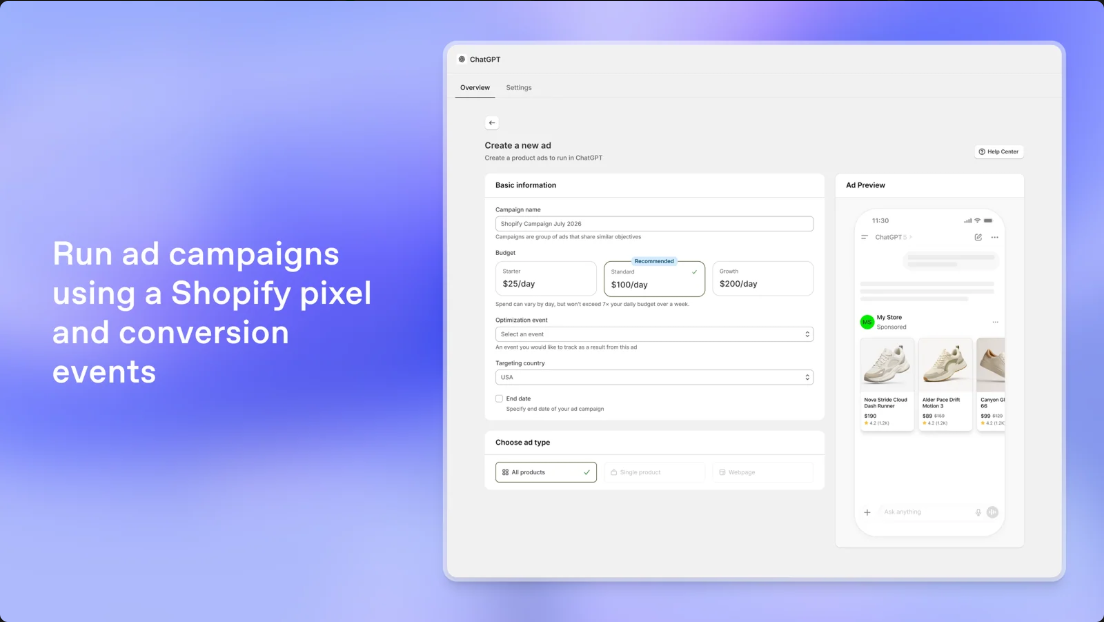
At Shopify checkout, verify payment methods, address fields, taxes, currency, delivery zones, discounts, accelerated payment options, and order confirmation. Checkout has a platform boundary: theme customizations cannot necessarily carry into checkout, and capabilities depend on the Shopify plan and configuration. Do not build a fragile payment page just to reproduce a Figma concept. The frontend hands the correct item into supported checkout; operations and finance own payment, refund, and fulfillment rules; engineering or Analytics owns event mapping.
Test mobile checkout with real devices. Check autofill, address errors, invalid discounts, wallet-payment returns, duplicate submissions, and payment recovery. Measure the gap between checkout start, delivery details, payment attempt, order creation, and failure reasons. Review support contacts for repeated delivery, discount, or payment problems.
06 | Separate order creation from payment, fulfillment, and refunds
The event name can mislead. OpenAI’s Supported Events defines standard order_created as “a purchase is completed.” That means its event semantics are completed purchase; it is not equivalent to a Shopify orders/create resource being created, and it does not mean fulfillment is complete or no later refund occurs. If a Shopify order can exist before payment, that status alone is not enough to send a completed-purchase event. Define when the event’s business meaning is met, while tracking created, paid, fulfilled, and refunded states separately for event mapping, revenue reporting, and profit. OpenAI Supported Events · Conversions API event structure
Keep four ledger layers: (1) order created, with ID, currency, items, and time; (2) paid order, excluding unpaid, cancelled, or failed payments; (3) fulfillment, distinguishing partial from complete fulfillment and cancellation; and (4) refund and return adjustments, including partial or full refunds, chargebacks, and returned stock. Map the standard ad event only when its completed-purchase meaning is met; judge business quality with paid orders, net sales after refunds, and contribution margin. Do not collapse them into one “sales” figure.
If browser Pixel and server Conversions API send the same event, use the same Pixel ID, event name, and event ID. OpenAI says it retains the first matching event and ignores later duplicates. Retries with new IDs or mismatched event names can create duplicate or missing counts. Engineering owns the integration; merchant acceptance should confirm that a test order produces only the intended event and amount in Shopify, event diagnostics, and Ads Manager. OpenAI event deduplication
07 | Know what UTMs, ad attribution, and Shopify reports answer
Use stable UTM values such as utm_source=chatgpt, utm_medium=paid, utm_campaign=northline_dayhike, and utm_content=capacity_compare_a. Add them to each creative URL and inspect the full address on a phone. OpenAI notes that ChatGPT’s iOS in-app browser hostname is not the full URL; use Share and copy the link to inspect parameters. Landing pages must be valid, reachable, and must not block OAI-AdsBot or OAI-SearchBot. OpenAI URL and landing-page guidance
UTMs help Shopify, GA4, or first-party analytics identify tagged sessions; they do not prove the ad caused an order. ChatGPT Ads, Shopify, and other platforms use different matching and attribution models. One order can be claimed by multiple systems, or missed because of consent, device changes, later sessions, or browser limits. Do not add platform conversions together or require UTM orders to equal Ads Manager conversions one-for-one.
Record click-through and view-through attribution separately. The current Pixel documentation describes a separate one-day view-through window, while the newer conversion-optimization guide describes impression billing that can consider eligible view- and click-driven conversions, with settings depending on availability. Do not apply one document’s window or metric definition to every campaign. Record the actual account’s objective, billing option, attribution windows, and reporting fields before comparing results. Pixel measurement · Current conversion-optimization rules
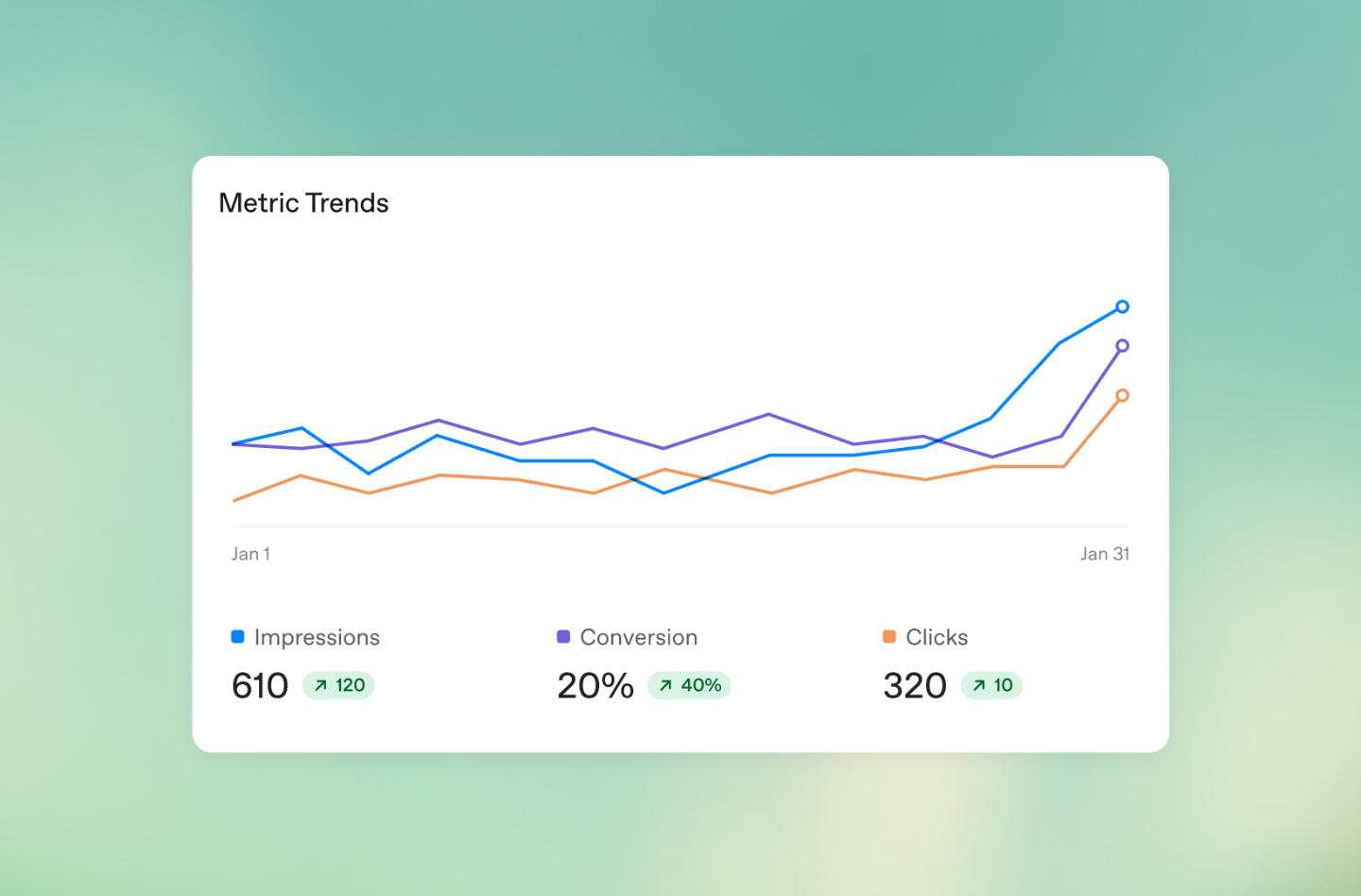
Impressions, clicks, and CTR refresh about every 15 minutes, while spend may be delayed 7–8 hours. Align time zone, windows, and refresh delays before treating temporary zero spend or a reporting difference as an event problem. Ads Manager reporting
Before comparing rates, write down the numerator and denominator in plain language. “Cart rate” could mean carts per ad click, carts per tagged session, or carts per product-page view; those are different questions. “Purchase rate” could use created orders, paid orders, or attributed conversions. Pick one definition for each funnel step, keep the raw counts beside the percentage, and label the source system. A useful audit sheet includes campaign and creative, destination version, market, device, reporting time zone, date range, attribution window, event definition, and last refresh time.
Use the same cohort and time boundary when reading the funnel. A click recorded just before midnight in one reporting time zone may fall on the next date in Shopify; a person may click on one day and pay later. Recent cohorts are also incomplete while spend or conversions are still reporting. Mark a comparison provisional until the chosen attribution window has closed and the relevant reports have refreshed. If the platform and store still differ, investigate consent, matching, cross-device behavior, deduplication, and timezone before “fixing” the event code. Preserve the original export or screenshot so a later setting change does not erase what the team actually compared.
08 | Use a diagnostic matrix to find the broken step
Compare clicks, sessions, product views, carts, checkout starts, created orders, paid orders, fulfillment, and refunds. Segment by device, creative, product, market, and date.
| Symptom | Check first | Suggested action |
|---|---|---|
| Clicks but no visits | URL, UTM, redirects, consent prompt, mobile load, page-view event | Open the full campaign URL on a phone; record the final URL, first screen, and event; investigate blocking or timeouts |
| Visits but few carts | Ad-to-page match, price, variants, stock, shipping, mobile controls | Review each creative’s destination; trace variant selection to add-to-cart and fix mismatched product facts |
| Carts but no checkout | Total, discount, shipping threshold, cart redirect, checkout button, market eligibility | Test with addresses in each key market; check hidden delivery limits and unusable discounts |
| Shopify orders but no Ads conversion | Consent, pixel coverage, event mapping, connectivity, window, deduplication | Trace one test order across Shopify, event diagnostics, and Ads Manager; API validation alone is insufficient |
| High reported revenue but low net revenue | Created orders counted as paid, duplicated totals, missing refunds, low-margin mix | Reconcile payment and refund states, payouts, and fulfillment costs; recalculate net sales and margin |
Shopify pixels run in a limited sandbox; consent settings may prevent marketing events. Names can differ across systems: checkout_completed may map to purchase. Check the mapping, not just the label. Shopify pixel capabilities · Shopify app-pixel mapping
For each diagnosed break, attach an evidence bundle rather than a conclusion alone: the campaign URL, the device and market tested, the observed step where the path stopped, a sanitized order or cart reference if applicable, and the matching event timestamp. Compare counts at adjacent steps over a settled period. For instance, if product views remain stable but add-to-cart falls only on one variant, inspect that variant’s price and stock transitions before rewriting the ad. If every creative loses sessions on one mobile browser, investigate the shared redirect, consent prompt, or page script before judging separate messages. Segment only far enough to locate a reproducible break; tiny groups can make ordinary variation look like a diagnosis.
09 | Sign off with an end-to-end test order
Place a clearly marked test order on a real device, using a target-market address and Shopify test payment. Start from the campaign URL; opening a product from Admin bypasses UTMs and redirects. Keep the final URL, variant and price, cart and delivery totals, order ID and payment state, event record, and cancellation or refund evidence.
Acceptance should confirm:
- The URL reaches the intended page, retains UTMs, and respects market routing.
- Mobile variant and add-to-cart work; SKU, stock, currency, and amount match Shopify.
- Cart discounts and shipping are correct; key markets see delivery, tax, and total at checkout.
- Shopify records the right items and payment state; unpaid orders are not paid revenue.
- Browser or server events match the agreed business contract and are not duplicated.
- Cancellations and refunds are recognized in Shopify and the merchant’s own reports, correcting net revenue and margin there. Send adjustments to an ad platform only if its relevant feature is actually supported and enabled; do not assume a generic refund event exists.
A test order may not be an attributed campaign conversion because it lacks a genuine click identifier or falls outside eligibility or reporting windows. It verifies the path and event delivery, not campaign performance. API validation cannot replace an end-to-end order test. Ecommerce signs off price, stock, and delivery; payments signs off status; engineering or analytics signs off events; finance signs off revenue and refunds.
Keep a compact evidence packet for each test run: test case ID, date and reporting time zone, device/browser, market and address class, campaign URL or clearly labeled reproduction URL, selected product and variant, displayed and checkout amounts, order ID, created and payment states, event IDs and timestamps, and any cancellation or refund record. Redact personal data and never paste payment credentials into the packet. Capture the URL before and after redirects, a screen recording of variant selection and checkout, a Shopify order view showing payment status, and an event diagnostic view where permitted. Name files consistently so the implementer can connect a visible symptom to the relevant order and event without exposing customer details.
Separate acceptance from attribution review. A successful test can prove that the page rendered, the right item entered the cart, Shopify accepted the test payment, and the agreed event was delivered once. It cannot prove that live ads are eligible, that a specific campaign receives credit, or that reported spend and conversions are final. After launch, perform a distinct reporting review with a real eligible campaign cohort, the account’s actual windows, and enough reporting time. This avoids treating a deliberately synthetic order as evidence of media performance.
10 | Decide with contribution margin after refunds
Impressions, clicks, and created orders are path metrics. Business decisions should combine ad spend with paid orders, discounts, refunds, product cost, payment fees, packaging, fulfillment, and other variable costs. A simplified contribution-margin formula is: net sales after refunds − product cost − payment fees − merchant-paid shipping and fulfillment − other variable costs. The affordable acquisition cost must leave enough for fixed expenses and profit.
For a hypothetical Northline order, suppose a $120 backpack produces $108 in merchandise revenue after discount. Product cost is $42, payment fees $4, merchant-paid fulfillment $12, and other variable after-sales cost $5. With no refund, contribution margin is $108 − $42 − $4 − $12 − $5 = $45. If the company wants to retain $15 for fixed costs and profit, the theoretical acquisition-cost ceiling is $30. These assumptions are not real brand data or a ChatGPT Ads ROI forecast. Refund, discount, and fulfillment changes alter the ceiling.
The example is sensitive to seemingly small operating changes. If the merchant adds a $6 shipping subsidy, contribution margin falls from $45 to $39 and the amount available after the same $15 reserve falls from $30 to $24. If a partial refund reduces recognized merchandise revenue by $20 and the merchant does not recover the associated variable cost, margin falls to $25 and the remaining acquisition allowance is $10. If a full refund reverses the $108 merchandise revenue but leaves $9 of unrecovered handling and payment costs, the order contributes a loss before advertising. These are hypothetical arithmetic cases, not typical refund behavior. A real model must specify whether shipping collected from the customer is included in net sales, which fees are returned after a refund, whether returned goods are resalable, and how discounts are allocated across line items.
For a campaign-level decision, aggregate the same definitions across paid orders and subtract refunds and variable costs before comparing with spend. Do not call revenue divided by spend “profit,” and do not use a platform-attributed conversion count as the accounting denominator. A small sensitivity table can show what happens when average discount, refund share, or merchant-paid delivery changes; it exposes whether the decision depends on an optimistic assumption. Keep a reserve for fixed overhead and desired profit rather than setting the bid ceiling equal to the entire pre-ad contribution margin.
Read click cost, cart rate, checkout progression, payment rate, refunds, and new-customer share together. Cheap clicks with an unclear page call for page work; healthy carts but weak payments call for checkout and delivery review. High reported purchases with falling net sales call for event and accounting reconciliation. Conversion optimization and billing are separate settings: click billing charges for valid clicks, while impression billing charges for impressions. A conversion objective is not payment per order, and a Bid Cap is not a guaranteed acquisition cost. OpenAI conversion optimization and billing
Make this a weekly rhythm: confirm eligibility and report freshness; inspect page relevance and mobile progression; reconcile created, paid, fulfilled, and refunded orders; then use contribution margin to keep, change, or stop a creative. The Shopify App Store listing describes catalog sync, ad creation, conversion measurement, and campaign management from Shopify. Check current compatibility and regional availability in Shopify and Ads Manager. ChatGPT Ads on the Shopify App Store
For a project like this, WESWOO’s work package can turn ad intent into Figma information architecture and a mobile prototype; build maintainable Shopify sections with aligned variant, SKU, price, and stock; connect Markets pricing and shipping; and agree event and refund definitions with the merchant. Handover evidence can include the prototype, section map, test order, event trace, and page checks. Acceptance example: a “28L overnight pack” ad opens its page; selecting olive updates SKU, stock, and price; checkout shows target-market shipping; the test distinguishes created from paid; a refund reduces net revenue in the merchant’s report. Scope is agreed per engagement. This proposal does not claim a completed client project.
To keep that work bounded, the implementation brief can name the included theme templates and sections, supported breakpoints, product fields consumed, markets covered, and the events to be mapped. It can also list merchant-owned prerequisites such as final copy, approved specifications, shipping rules, test-payment access, and consent configuration. The review sequence is then concrete: approve the Figma flow; inspect the theme build in a preview store; run agreed device and market test cases; reconcile one created, paid, and refunded example against the merchant’s own reporting rules; and deliver the mapping and evidence packet. Anything outside those named templates, markets, or event definitions is separately estimated. This describes a possible engagement scope, not a claim that these deliverables have already been completed.


WESWOO — Shopify Storefront Development
We help Chinese brands expand internationally with storefront development and Shopify Plus integration services, supporting their cross-border commerce operations.
- Shopify storefront branding
- International UI design
- Multichannel social media marketing