
·
做潮流服饰、设计师眼镜、先锋美妆、客制化外设或摄影器材的 Shopify free-standing station时,品牌方最头疼的问题往往是:产品大片拍得很有态度,但一放进标准 Shopify 主题里,立刻变回了千篇一律的「四列货架」。
买家看 Lookbook(型录)时没法直接买,去逛 Collection(商品列表页)时又完全感受不到品牌的视觉张力。
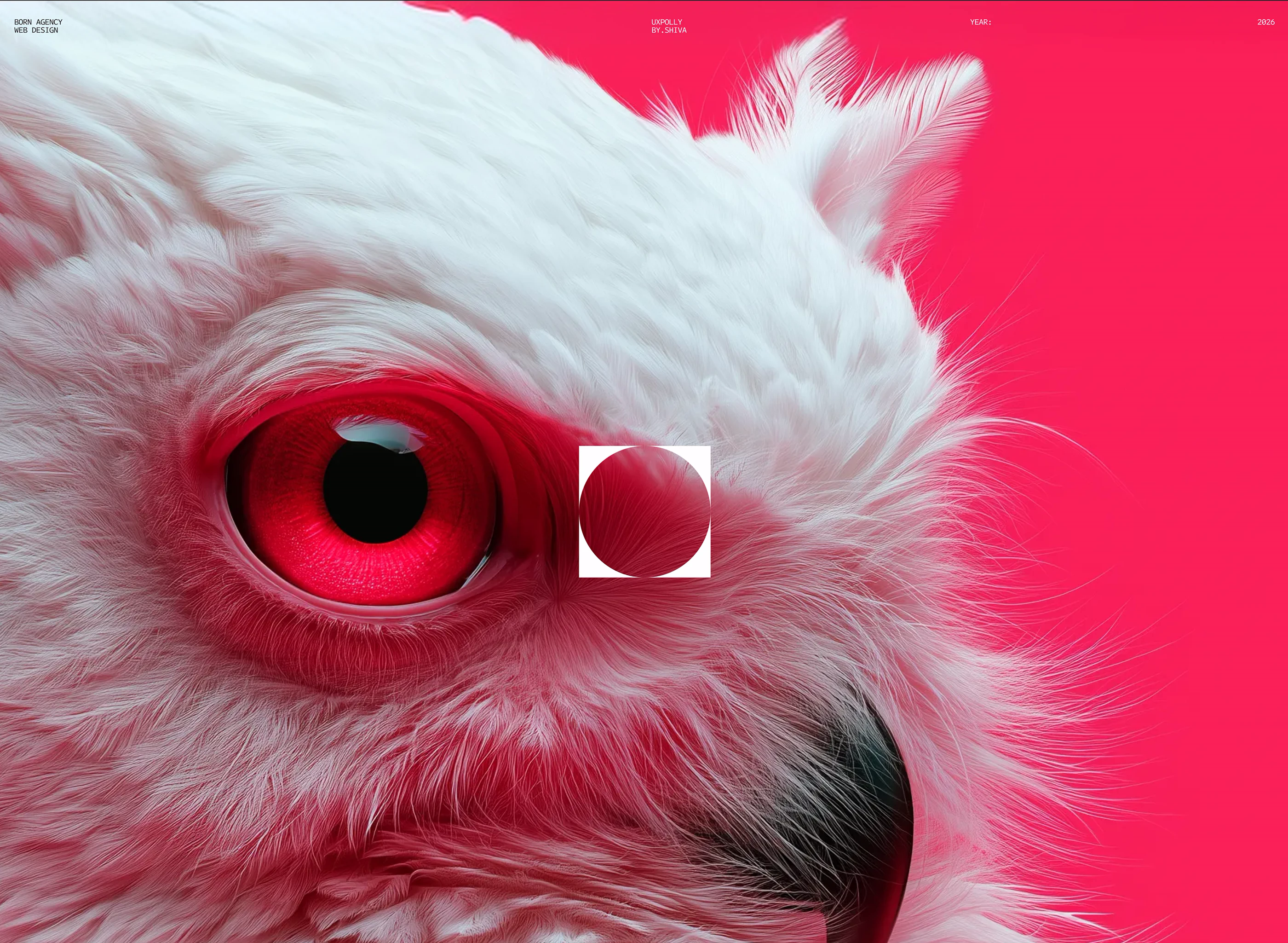
乌克兰设计工作室 BY.SHIVA STUDIO(Polina Prykhodko 与 Olexandr BY.SHIVA)发布的 Born Agency | Creative Studio Website 案例,切中的正是这个痛点。他们在项目背景里写了一句很直接的设计要求:
「不要模板感,不要套路化的图片排版,不要四平八稳的安全牌——从向下滚动的第一屏起,就让视觉本身说话。」(”NO TEMPLATES, NO STOCK LAYOUTS, NO SAFE CHOICES… A MONOCHROME-MEETS-ACCENT COLOR SYSTEM THAT LETS THE VISUALS DO THE TALKING.”)
对比我们前面看过的两个案例:
- NM Art & Design 是浅暖灰画廊风,靠大留白衬托静态器物;
- Volenta 是暗黑 B2B 数据矩阵风,靠 Bento 卡片摆量化指标;
- 而 Born Agency 则是典型的「暗黑先锋杂志风(Dark Editorial)」——它用相机取景框准星、衬线与无衬线混排、双色高饱和渐变,以及
CAROUSEL / GALLERY双视图切换,把「看大片」和「按条件筛货」揉进了同一套界面里。
下面我们拆解 Born Agency 案例 的四套核心设计语言,并给出在 Shopify Online Store 2.0 主题中的落地方案与完整组件代码。
一、拆解 Born Agency 的四套核心设计手法
1. 色彩系统:深炭黑底 +「电光绿 / 洋红」双渐变撞色
Born Agency 没有使用纯黑(#000000),而是选了更有胶片暗房质感的深炭黑(#1C1C1C)作为主背景,并配了两组职能完全分开的高饱和渐变色(色值提取自原案规范表):
- 主背景与卡片底色(Carbon Black):
#1C1C1C,搭配1px的半透明白线(rgba(255, 255, 255, 0.12))勾勒出外露的网格线(Exposed Hairline Grid)。 - 第一行动色——电光黄绿渐变(Green Gradient):
#5AFE41→#EBF61D。专门用于高转化交互点,例如首屏与底部的正圆形CONTACT US ↗按钮、底部横幅行动卡(”Let’s talk about your next project”)以及激活态筛选标签。 - 第二氛围色——赛博洋红渐变(Pink Gradient):
#FF0046→#FF006A。专门用于情绪冲击与导航切换,例如点击右上角菜单后弹出的全屏洋红色导航层(展示超大号纵向菜单HOME、PROJECTS、SERVICES、ABOUT、CONTACT),以及团队肖像区的暗部红光渲染。 - 主文字色(Pure White):
#FFFFFF,保证在#1C1C1C底色上的高对比可读性。
迁移到 Shopify 独立站的思路:
潮牌、美妆或电竞外设独立站经常苦恼「品牌色太炸眼,铺满全站像夜店,不用又太素」。
Born Agency 的做法是:
- 商品浏览区保持 90% 的
#1C1C1C炭黑与#FFFFFF纯白,让商品大片自带的色彩成为主角; - 把洋红渐变关进全屏汉堡菜单(Menu Drawer)和系列导览页,
- 把电光绿渐变留给正圆形的
Shop Now ↗/Add to Bag ↗按钮。
2. 首屏与图片交互:相机取景框(Viewfinder HUD)锚点标注
在 Born Agency 的首屏(Hero)与重点作品图上,设计师没有把卖点文字排在图片外面,而是模仿单反相机的取景器界面,在人物或产品主体四周加上了十字准星与直角取景框(⌜ ⌝ ⌞ ⌟),并在框线旁直接引出大写微标签:
TAILORED TO YOUR REQUESTATTENTION TO DETAILREAL TEAM WITHOUT AI AGENTS
迁移到 Shopify 独立站的思路(升级版 Shop the Look):
传统 Shopify 主题里的「Shop the Look(看图购)」只是在模特衣服上打几个生硬的小白点。
借鉴 Born Agency 的取景框语言,我们可以在首屏或 Lookbook 大图上,
- 用 CSS 在商品局部(如模特戴的墨镜、手里的包、桌上的机械键盘)画出带直角准星的取景框,
- 旁边标出工艺卖点与价格(如
TITANIUM FRAME · $240 ↗), - 点击取景框直接滑出该单品的快速加购抽屉(Quick Add Drawer)。
3. 品牌叙事排版:无衬线 + 斜体衬线混排 +「行内嵌图(Inline Pills)」
在阐述品牌理念的章节(”We turn brand ideas into striking visuals that never repeat the same formula twice…”),Born Agency 用了时尚杂志偏爱的混排手法:
- 同一句话里切换两种字体性格:主干词用超粗的几何无衬线体(传递力量感),强调词与转折词突然切回高对比斜体衬线体(Italic Editorial Serif),打破大段纯无衬线文字的单调感。
- 文字行间直接嵌入微缩胶囊图:在两三个单词之间,直接插入一张与字高一致的圆角矩形小图(或循环播放的微距材质 GIF),让读者的视线在读字与看细节之间无缝切换。
- 圆形旋转徽章(Circular Text Badge):页面角落搭配一圈围绕中心旋转的文字环(
CREATE · DOMINATE · CREATE · DOMINATE),强化工作室的实验感。
4. 商品/作品目录页:CAROUSEL / GALLERY 双视图切换 + 四维筛选栏
这是 Born Agency 案例 对 Shopify 独立站最实用的交互设计。
exist PROJECTS 页面顶部,它做了一套双层导览控制栏:
右上角双视图切换器(Dual View Switcher):访客可以在 CAROUSEL(大画幅横向画廊滑动) 和 GALLERY(多列网格平铺) 两种模式间一键切换。
顶部四维筛选条(Multi-Tier Filter Bar):
- Sort By(排序):
No Filter/Latest/Popular/Featured - Content Type(类型):
All/Photo/Video/Motion - Industry(行业/场景):
All/Fashion/Beauty/Food & Beverage/Tech/Automotive/Lifestyle - Style(视觉风格):
All/Minimal/Bold/Editorial/Surreal/Cinematic/Abstract
详情页外露网格参数表(以案例中的 SMITH / FLORA 页为例):点进单个项目后,左侧用细线表格清晰列出 About、Fields、Tasks、Platforms、Services、Duration、Team 七项结构化元数据,右侧配大图轮播。
| Born Agency 的目录与详情设计 | 原案解决的问题 | 迁移到 Shopify 独立站(潮牌 / 美妆 / 工业设计品)的对应功能 |
|---|---|---|
CAROUSEL vs. GALLERY 视图切换 |
初访客户想看大图感受调性,目的明确的客户想快速翻列表 | Lookbook 与货架合一:默认或点击 CAROUSEL 横滑浏览当季大片,点击 GALLERY 原地切换为 3 列商品购买网格,无需跳两个页面 |
| 按「风格(Minimal / Bold / Editorial)」筛选 | 传统分类只按品类分,客户很难按审美调性找案例 | 按穿搭风格/审美标签筛货:除了按「上衣/裤装」筛选,利用商品 Metafields 增加 Style(极简通勤 / 先锋秀场 / 机能户外)筛选维度 |
外露细线参数表(SMITH / FLORA 详情页) |
避免艺术化页面漏掉关键交付信息 | 结构化版型与材质档案:在 PDP 用 1px 细线网格列出 版型 Fit、克重 Weight、面料成分 Fabric、产地 Origin 与 模特尺码 Model Size |
二、在 Shopify 中如何开发实现这套风格?
在 Shopify Online Store 2.0 主题中还原 Born Agency 的质感,不需要引入笨重的第三方动画库,重点做好以下三块前端实现:
1. 全局色板、双渐变与字体混排配置
在主题的 assets/base.css 中定义 Born Agency 的精确色值(#1C1C1C、#5AFE41→#EBF61D、#FF0046→#FF006A)以及「粗体无衬线 + 斜体衬线」混排类:
:root {
  /* Born Agency 核心色板 */
  --born-black: #1C1C1C;
  --born-surface: #242424;
  --born-white: #FFFFFF;
  --born-muted: rgba(255, 255, 255, 0.62);
  --born-grid-line: rgba(255, 255, 255, 0.14);

  /* 双色高饱和渐变 */
  --born-grad-green: linear-gradient(135deg, #5AFE41 0%, #EBF61D 100%);
  --born-grad-pink: linear-gradient(135deg, #FF0046 0%, #FF006A 100%);

  /* 字体组合:宽体粗无衬线 + 高对比衬线 */
  --born-font-sans: 'Syne', 'Helvetica Neue', Arial, sans-serif;
  --born-font-serif: 'Playfair Display', 'Instrument Serif', Georgia, serif;
}

/* 混排标题中的斜体衬线强调词 */
.born-editorial-serif {
  font-family: var(--born-font-serif);
  font-style: italic;
  font-weight: 400;
  padding: 0 0.15em;
}

/* 行内微缩胶囊图(Inline Image Pill) */
.born-inline-pill {
  display: inline-block;
  vertical-align: middle;
  width: 2.4em;
  height: 1.15em;
  border-radius: 999px;
  object-fit: cover;
  margin: 0 0.2em;
  border: 1px solid var(--born-grid-line);
}
2. 正圆形电光绿渐变按钮与相机取景框角标(Viewfinder Brackets)
Born Agency 标志性的正圆形 CONTACT US ↗ 按钮,以及商品图上的四角准星框(⌜ ⌝ ⌞ ⌟),可以直接用纯 CSS 伪元素画出,零图片开销:
/* 正圆形电光绿渐变主按钮 */
.born-circle-cta {
  width: 116px;
  height: 116px;
  border-radius: 50%;
  background: var(--born-grad-green);
  color: #1C1C1C;
  display: inline-flex;
  flex-direction: column;
  align-items: center;
  justify-content: center;
  gap: 4px;
  font-family: var(--born-font-sans);
  font-size: 0.75rem;
  font-weight: 800;
  letter-spacing: 0.06em;
  text-transform: uppercase;
  text-decoration: none;
  transition: transform 0.25s cubic-bezier(0.22, 1, 0.36, 1);
}
.born-circle-cta:hover {
  transform: scale(1.06) rotate(4deg);
}

/* 相机取景框四角准星容器 */
.born-viewfinder-box {
  position: relative;
  padding: 10px 14px;
  background: rgba(28, 28, 28, 0.72);
  backdrop-filter: blur(6px);
  color: #FFFFFF;
  font-size: 0.75rem;
  letter-spacing: 0.08em;
  text-transform: uppercase;
}
.born-viewfinder-box::before,
.born-viewfinder-box::after {
  content: "";
  position: absolute;
  width: 8px;
  height: 8px;
  border-color: #5AFE41;
  border-style: solid;
}
.born-viewfinder-box::before {
  top: 0; left: 0;
  border-width: 1.5px 0 0 1.5px;
}
.born-viewfinder-box::after {
  bottom: 0; right: 0;
  border-width: 0 1.5px 1.5px 0;
}
3. 完整可复用的 Shopify Section:Born Agency 双视图商品/型录展示墙
下面这段完整的 sections/born-editorial-showcase.liquid 组件,把 Born Agency 最核心的三项设计集成到了一个 Shopify Section 中:
- 顶部混排宣言 + 行内胶囊图;
CAROUSEL(大片横滑视图)与GALLERY(外露细线网格视图)前端无刷新切换;- 带相机取景框准星标注(Viewfinder Callout)的商品卡片 + 正圆形电光绿渐变行动按钮。
把代码保存为 sections/born-editorial-showcase.liquid,再在 Shopify 主题编辑器里通过商品区块选择要展示的单品。
{%- comment -%}
  文件:sections/born-editorial-showcase.liquid
  设计参考:Born Agency | Creative Studio Website (by BY.SHIVA STUDIO)
  功能:暗黑先锋杂志风 Showcase,支持 CAROUSEL / GALLERY 双视图切换、相机取景框卖点角标与电光绿圆形 CTA
{%- endcomment -%}

<style>
  .born-sec-{{ section.id }} {
    background-color: #1C1C1C;
    color: #FFFFFF;
    padding: {{ section.settings.padding_top }}px 0 {{ section.settings.padding_bottom }}px;
    font-family: -apple-system, BlinkMacSystemFont, 'Helvetica Neue', sans-serif;
    border-top: 1px solid rgba(255, 255, 255, 0.14);
    border-bottom: 1px solid rgba(255, 255, 255, 0.14);
  }
  .born-wrap {
    max-width: 1360px;
    margin: 0 auto;
    padding: 0 24px;
  }

  /* 顶部元数据条 */
  .born-meta-bar {
    display: flex;
    justify-content: space-between;
    align-items: center;
    padding-bottom: 20px;
    margin-bottom: 36px;
    border-bottom: 1px solid rgba(255, 255, 255, 0.14);
    font-size: 0.75rem;
    letter-spacing: 0.12em;
    text-transform: uppercase;
    color: rgba(255, 255, 255, 0.65);
  }

  /* 混排大标题与圆形按钮区 */
  .born-hero-row {
    display: flex;
    flex-wrap: wrap;
    justify-content: space-between;
    align-items: flex-end;
    gap: 32px;
    margin-bottom: 48px;
  }
  .born-display-title {
    font-size: clamp(2.25rem, 5vw, 4.25rem);
    font-weight: 800;
    line-height: 1.04;
    letter-spacing: -0.03em;
    text-transform: uppercase;
    margin: 0;
    max-width: 880px;
  }
  .born-display-title em {
    font-family: Georgia, 'Times New Roman', serif;
    font-style: italic;
    font-weight: 400;
    text-transform: none;
    color: #5AFE41;
    padding: 0 6px;
  }
  .born-circle-btn {
    width: 112px;
    height: 112px;
    border-radius: 50%;
    background: linear-gradient(135deg, #5AFE41 0%, #EBF61D 100%);
    color: #1C1C1C;
    display: inline-flex;
    flex-direction: column;
    align-items: center;
    justify-content: center;
    font-size: 0.75rem;
    font-weight: 800;
    letter-spacing: 0.06em;
    text-transform: uppercase;
    text-decoration: none;
    flex-shrink: 0;
    transition: transform 0.25s ease;
  }
  .born-circle-btn:hover {
    transform: scale(1.06);
  }
  .born-circle-btn span {
    font-size: 1.125rem;
    line-height: 1;
    margin-bottom: 4px;
  }

  /* 工具栏:风格筛选标签 + CAROUSEL / GALLERY 双视图切换器 */
  .born-toolbar {
    display: flex;
    flex-wrap: wrap;
    justify-content: space-between;
    align-items: center;
    gap: 16px;
    padding: 16px 0;
    margin-bottom: 28px;
    border-top: 1px solid rgba(255, 255, 255, 0.14);
    border-bottom: 1px solid rgba(255, 255, 255, 0.14);
  }
  .born-filter-Group {
    display: flex;
    flex-wrap: wrap;
    gap: 8px;
  }
  .born-filter-btn {
    background: transparent;
    color: rgba(255, 255, 255, 0.7);
    border: 1px solid rgba(255, 255, 255, 0.2);
    padding: 7px 16px;
    border-radius: 999px;
    font-size: 0.75rem;
    font-weight: 600;
    letter-spacing: 0.06em;
    text-transform: uppercase;
    cursor: pointer;
    transition: all 0.2s ease;
  }
  .born-filter-btn.is-active,
  .born-filter-btn:hover {
    background: linear-gradient(135deg, #5AFE41 0%, #EBF61D 100%);
    color: #1C1C1C;
    border-color: transparent;
  }

  .born-view-switcher {
    display: inline-flex;
    border: 1px solid rgba(255, 255, 255, 0.24);
    border-radius: 999px;
    overflow: hidden;
  }
  .born-view-btn {
    background: transparent;
    color: rgba(255, 255, 255, 0.7);
    border: none;
    padding: 7px 16px;
    font-size: 0.75rem;
    font-weight: 700;
    letter-spacing: 0.08em;
    text-transform: uppercase;
    cursor: pointer;
  }
  .born-view-btn.is-active {
    background: linear-gradient(135deg, #FF0046 0%, #FF006A 100%);
    color: #FFFFFF;
  }

  /* 商品展示容器:支持 GALLERY 网格与 CAROUSEL 横滑 */
  .born-items-track[data-view="gallery"] {
    display: grid;
    grid-template-columns: repeat(3, 1fr);
    border-left: 1px solid rgba(255, 255, 255, 0.14);
    border-top: 1px solid rgba(255, 255, 255, 0.14);
  }
  @media screen and (max-width: 900px) {
    .born-items-track[data-view="gallery"] {
      grid-template-columns: repeat(2, 1fr);
    }
  }
  @media screen and (max-width: 600px) {
    .born-items-track[data-view="gallery"] {
      grid-template-columns: 1fr;
    }
  }

  .born-items-track[data-view="carousel"] {
    display: flex;
    gap: 24px;
    overflow-x: auto;
    scroll-snap-type: x mandatory;
    padding-bottom: 16px;
  }
  .born-items-track[data-view="carousel"] .born-item-card {
    min-width: min(440px, 82vw);
    scroll-snap-align: start;
    border: 1px solid rgba(255, 255, 255, 0.14);
  }

  /* 单张先锋商品/型录卡 */
  .born-item-card {
    background: #1C1C1C;
    border-right: 1px solid rgba(255, 255, 255, 0.14);
    border-bottom: 1px solid rgba(255, 255, 255, 0.14);
    padding: 20px;
    display: flex;
    flex-direction: column;
    justify-content: space-between;
    position: relative;
  }
  .born-item-card[hidden] {
    display: none !important;
  }
  .born-media-box {
    position: relative;
    aspect-ratio: 4 / 5;
    background: #262626;
    overflow: hidden;
    margin-bottom: 18px;
  }
  .born-media-box img {
    width: 100%;
    height: 100%;
    object-fit: cover;
    transition: transform 0.4s ease;
  }
  .born-item-card:hover .born-media-box img {
    transform: scale(1.04);
  }

  /* 相机取景框 HUD 悬浮标签 */
  .born-hud-tag {
    position: absolute;
    bottom: 14px;
    left: 14px;
    padding: 6px 12px;
    background: rgba(28, 28, 28, 0.78);
    backdrop-filter: blur(4px);
    font-size: 0.6875rem;
    font-weight: 700;
    letter-spacing: 0.08em;
    text-transform: uppercase;
    color: #FFFFFF;
  }
  .born-hud-tag::before,
  .born-hud-tag::after {
    content: "";
    position: absolute;
    width: 7px;
    height: 7px;
    border-color: #5AFE41;
    border-style: solid;
  }
  .born-hud-tag::before {
    top: 0; left: 0;
    border-width: 1.5px 0 0 1.5px;
  }
  .born-hud-tag::after {
    bottom: 0; right: 0;
    border-width: 0 1.5px 1.5px 0;
  }

  .born-card-footer {
    display: flex;
    justify-content: space-between;
    align-items: flex-end;
    gap: 12px;
  }
  .born-item-title {
    font-size: 1.0625rem;
    font-weight: 700;
    text-transform: uppercase;
    letter-spacing: 0.02em;
    margin: 0 0 4px;
    color: #FFFFFF;
    text-decoration: none;
  }
  .born-item-sub {
    font-size: 0.75rem;
    color: rgba(255, 255, 255, 0.58);
    text-transform: uppercase;
    letter-spacing: 0.06em;
    margin: 0;
  }
  .born-item-price {
    font-size: 0.9375rem;
    font-weight: 700;
    color: #5AFE41;
    white-space: nowrap;
  }
</style>

<section class="born-sec-{{ section.id }}" data-section-id="{{ section.id }}">
  <div class="born-wrap">
    <div class="born-meta-bar">
      <span>{{ section.settings.meta_left }}</span>
      <span>{{ section.settings.meta_right }}</span>
    </div>

    <div class="born-hero-row">
      <h2 class="born-display-title">
        {{ section.settings.heading_prefix }}
        <em>{{ section.settings.heading_serif_italic }}</em>
        {{ section.settings.heading_suffix }}
      </h2>
      {%- if section.settings.cta_label != blank -%}
        <a href="{{ section.settings.cta_link | default: '#' }}" class="born-circle-btn">
          <span aria-hidden="true">↗</span>
          {{ section.settings.cta_label }}
        </a>
      {%- endif -%}
    </div>

    <div class="born-toolbar">
      <div class="born-filter-group" role="tablist" aria-label="按视觉风格筛选">
        <button type="button" class="born-filter-btn is-active" data-filter="all">ALL</button>
        <button type="button" class="born-filter-btn" data-filter="editorial">EDITORIAL</button>
        <button type="button" class="born-filter-btn" data-filter="bold">BOLD</button>
        <button type="button" class="born-filter-btn" data-filter="minimal">MINIMAL</button>
      </div>

      <div class="born-view-switcher" role="group" aria-label="切换浏览视图">
        <button type="button" class="born-view-btn is-active" data-view-target="gallery">GALLERY</button>
        <button type="button" class="born-view-btn" data-view-target="carousel">CAROUSEL</button>
      </div>
    </div>

    <div class="born-items-track" id="BornTrack-{{ section.id }}" data-view="{{ section.settings.default_view }}">
      {%- for block in section.blocks -%}
        {%- assign product = block.settings.product -%}
        <article
          class="born-item-card"
          data-style-tag="{{ block.settings.style_category | downcase }}"
          {{ block.shopify_attributes }}
        >
          <a href="{{ product.url | default: '#' }}" class="born-media-box" style="display:block;">
            {%- if block.settings.custom_image != blank -%}
              <img
                src="{{ block.settings.custom_image | image_url: width: 900 }}"
                alt="{{ block.settings.custom_title | default: product.title | escape }}"
                width="900"
                height="1125"
                loading="lazy"
              >
            {%- elsif product != blank and product.featured_image != blank -%}
              <img
                src="{{ product.featured_image | image_url: width: 900 }}"
                alt="{{ product.title | escape }}"
                width="900"
                height="1125"
                loading="lazy"
              >
            {%- endif -%}
            {%- if block.settings.viewfinder_note != blank -%}
              <span class="born-hud-tag">{{ block.settings.viewfinder_note }}</span>
            {%- endif -%}
          </a>

          <div class="born-card-footer">
            <div>
              <h3 class="born-item-title">
                <a href="{{ product.url | default: '#' }}" style="color:inherit;text-decoration:none;">
                  {{ block.settings.custom_title | default: product.title | default: 'CONCEPT EDITION 01' }}
                </a>
              </h3>
              <p class="born-item-sub">{{ block.settings.style_category | upcase }} · {{ block.settings.spec_note }}</p>
            </div>
            <div class="born-item-price">
              {%- if product != blank -%}
                {{ product.price | money }}
              {%- else -%}
                {{ block.settings.fallback_price }}
              {%- endif -%}
            </div>
          </div>
        </article>
      {%- endfor -%}
    </div>
  </div>
</section>

<script>
  (function() {
    var sec = document.querySelector('.born-sec-{{ section.id }}');
    if (!sec) return;
    var track = sec.querySelector('#BornTrack-{{ section.id }}');
    var viewBtns = sec.querySelectorAll('[data-view-target]');
    var filterBtns = sec.querySelectorAll('[data-filter]');
    var cards = sec.querySelectorAll('.born-item-card');

    viewBtns.forEach(function(btn) {
      btn.addEventListener('click', function() {
        var targetView = btn.getAttribute('data-view-target');
        track.setAttribute('data-view', targetView);
        viewBtns.forEach(function(b) { b.classList.toggle('is-active', b === btn); });
      });
    });

    filterBtns.forEach(function(btn) {
      btn.addEventListener('click', function() {
        var tag = btn.getAttribute('data-filter');
        filterBtns.forEach(function(b) { b.classList.toggle('is-active', b === btn); });
        cards.forEach(function(card) {
          var cardTag = card.getAttribute('data-style-tag');
          if (tag === 'all' || cardTag === tag) {
            card.removeAttribute('hidden');
          } else {
            card.setAttribute('hidden', 'hidden');
          }
        });
      });
    });
  })();
</script>

{% schema %}
{
  "name": "Born 暗黑杂志双视图画廊",
  "tag": "section",
  "settings": [
    {
      "type": "text",
      "id": "meta_left",
      "label": "左上角元数据标签",
      "default": "COLLECTION ARCHIVE // NO STOCK TEMPLATES"
    },
    {
      "type": "text",
      "id": "meta_right",
      "label": "右上角元数据标签",
      "default": "TAILORED TO YOUR REQUEST"
    },
    {
      "type": "text",
      "id": "heading_prefix",
      "label": "主标题前段(粗体无衬线)",
      "default": "WHERE IMAGINATION"
    },
    {
      "type": "text",
      "id": "heading_serif_italic",
      "label": "主标题中段(斜体衬线强调)",
      "default": "replaces"
    },
    {
      "type": "text",
      "id": "heading_suffix",
      "label": "主标题后段(粗体无衬线)",
      "default": "ORDINARY CATALOGS"
    },
    {
      "type": "text",
      "id": "cta_label",
      "label": "圆形电光绿按钮文字",
      "default": "EXPLORE ALL"
    },
    {
      "type": "url",
      "id": "cta_link",
      "label": "圆形按钮链接"
    },
    {
      "type": "select",
      "id": "default_view",
      "label": "默认展示视图",
      "options": [
        { "value": "gallery", "label": "GALLERY(细线网格视图)" },
        { "value": "carousel", "label": "CAROUSEL(大片横滑视图)" }
      ],
      "default": "gallery"
    },
    {
      "type": "range",
      "id": "padding_top",
      "min": 24,
      "max": 120,
      "step": 4,
      "unit": "px",
      "label": "顶部内边距",
      "default": 64
    },
    {
      "type": "range",
      "id": "padding_bottom",
      "min": 24,
      "max": 120,
      "step": 4,
      "unit": "px",
      "label": "底部内边距",
      "default": 64
    }
  ],
  "blocks": [
    {
      "type": "showcase_item",
      "name": "单品 / 型录卡片",
      "settings": [
        {
          "type": "product",
          "id": "product",
          "label": "关联 Shopify 商品"
        },
        {
          "type": "image_picker",
          "id": "custom_image",
          "label": "自定义型录大图(可选,覆盖商品主图)"
        },
        {
          "type": "text",
          "id": "custom_title",
          "label": "自定义标题(留空则读取商品名)"
        },
        {
          "type": "select",
          "id": "style_category",
          "label": "所属视觉风格(用于顶部筛选)",
          "options": [
            { "value": "editorial", "label": "Editorial" },
            { "value": "bold", "label": "Bold" },
            { "value": "minimal", "label": "Minimal" }
          ],
          "default": "editorial"
        },
        {
          "type": "text",
          "id": "viewfinder_note",
          "label": "图上相机取景框标注(HUD Callout)",
          "default": "ATTENTION TO DETAIL"
        },
        {
          "type": "text",
          "id": "spec_note",
          "label": "底部简短规格说明",
          "default": "LIMITED DROP"
        },
        {
          "type": "text",
          "id": "fallback_price",
          "label": "未绑定商品时的示例价格",
          "default": "$240"
        }
      ]
    }
  ],
  "presets": [
    {
      "name": "Born 暗黑杂志双视图画廊",
      "blocks": [
        { "type": "showcase_item", "settings": { "custom_title": "SMITH // TITANIUM EYEWEAR", "style_category": "editorial", "viewfinder_note": "TAILORED TO YOUR REQUEST", "spec_note": "HANDCRAFTED ACETATE" } },
        { "type": "showcase_item", "settings": { "custom_title": "FLORA // BOTANICAL ESSENCE", "style_category": "bold", "viewfinder_note": "ATTENTION TO DETAIL", "spec_note": "50ML EXTRAIT" } },
        { "type": "showcase_item", "settings": { "custom_title": "KINETIC // MODULAR SHELL", "style_category": "minimal", "viewfinder_note": "3-LAYER GORE-TEX", "spec_note": "AW26 ARCHIVE" } }
      ]
    }
  ]
}
{% endschema %}
三、三套 Behance 案例放在一起:你的 Shopify 独立站该选哪条路?
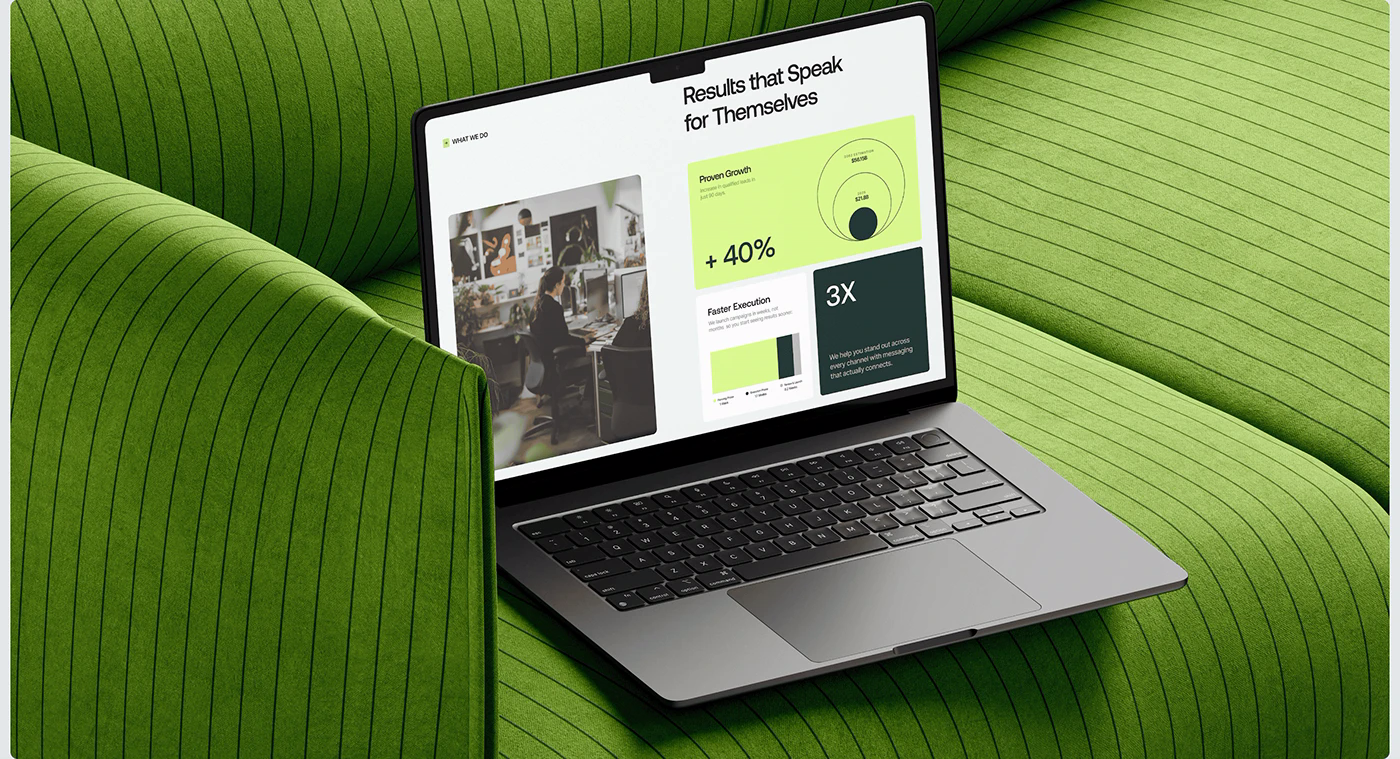
把你连续看的这三个 Behance 标杆案例放在一张表里对比,基本就覆盖了高客单价 Shopify 独立站最主流的三种视觉与转化架构:
| 对比维度 | 1. NM Art & Design(画廊静奢风) | 2. Volenta(暗黑 B2B Bento 风) | 3. Born Agency(暗黑先锋杂志风) |
|---|---|---|---|
| 核心色板 | 纯黑 #000000 + 暖灰 #736E68 / #A29A91 + 局部暖铜色 |
哑光黑 #0B0D0C + 深森林绿 #182920 + 电光青柠绿 #C6FF33 |
暗房炭黑 #1C1C1C + 电光绿渐变 #5AFE41→#EBF61D + 洋红渐变 #FF0046→#FF006A |
| 字体性格 | 建筑感几何大写标题 + 克制无衬线正文 | 锋利几何标题 Aeonik + 功能无衬线 Inter + [ + TAG ] 方括号路标 |
超粗宽体无衬线 + 高对比斜体衬线混排 + 行内胶囊嵌图 |
| 核心说服武器 | 极高留白比、艺术家履历背书、Download PDF 规格页 |
12 列 Bento 数据矩阵(+63%、4X)、01–04 编号步骤流 |
相机取景框 HUD 标注、高张力大片、CAROUSEL / GALLERY 双视图 |
| 主转化动作 | Add to Bag 现货直购 + Enquire 侧滑询盘抽屉 + PRO 选品夹 |
全页单一青柠绿按钮(Book a Call ↗ / Get Started ↗) |
正圆形电光绿按钮(CONTACT US ↗)+ 多维风格筛选 |
| 最适配的 Shopify 品类 | 设计师家具、灯具、陶瓷器物、家居买手店、艺术衍生品 | 3D 打印机、便携储能、商用设备、工业工具、B2B 定制批发 | 先锋潮牌服饰、设计师眼镜/配饰、小众香氛美妆、客制化电竞/摄影器材 |
在实际改版自己的 Shopify 店铺时,你甚至可以把三者的长处组合起来用:
- 比如首页与型录页用 Born Agency 的「取景框热点 +
CAROUSEL / GALLERY双视图」抓眼球, - 技术性能解析屏用 Volenta 的「Bento 数据矩阵」讲清硬核指标,
- 而到了商品详情页底部和 B2B 客户接待上,则用 NM Art & Design 的「结构化规格表 + 一键导出 PDF 规格单 / 侧滑询盘抽屉」完成收口。
WESWOO — Shopify Storefront Development
We help Chinese brands expand internationally with storefront development and Shopify Plus integration services, supporting their cross-border commerce operations.
- Shopify storefront branding
- International UI design
- Multichannel social media marketing