
Pool technology and outdoor robotics
iGarden
iGarden's robot-commerce journey must establish pool fit first, then explain model value through navigation, cleaning paths and ownership effort.
Visit the live project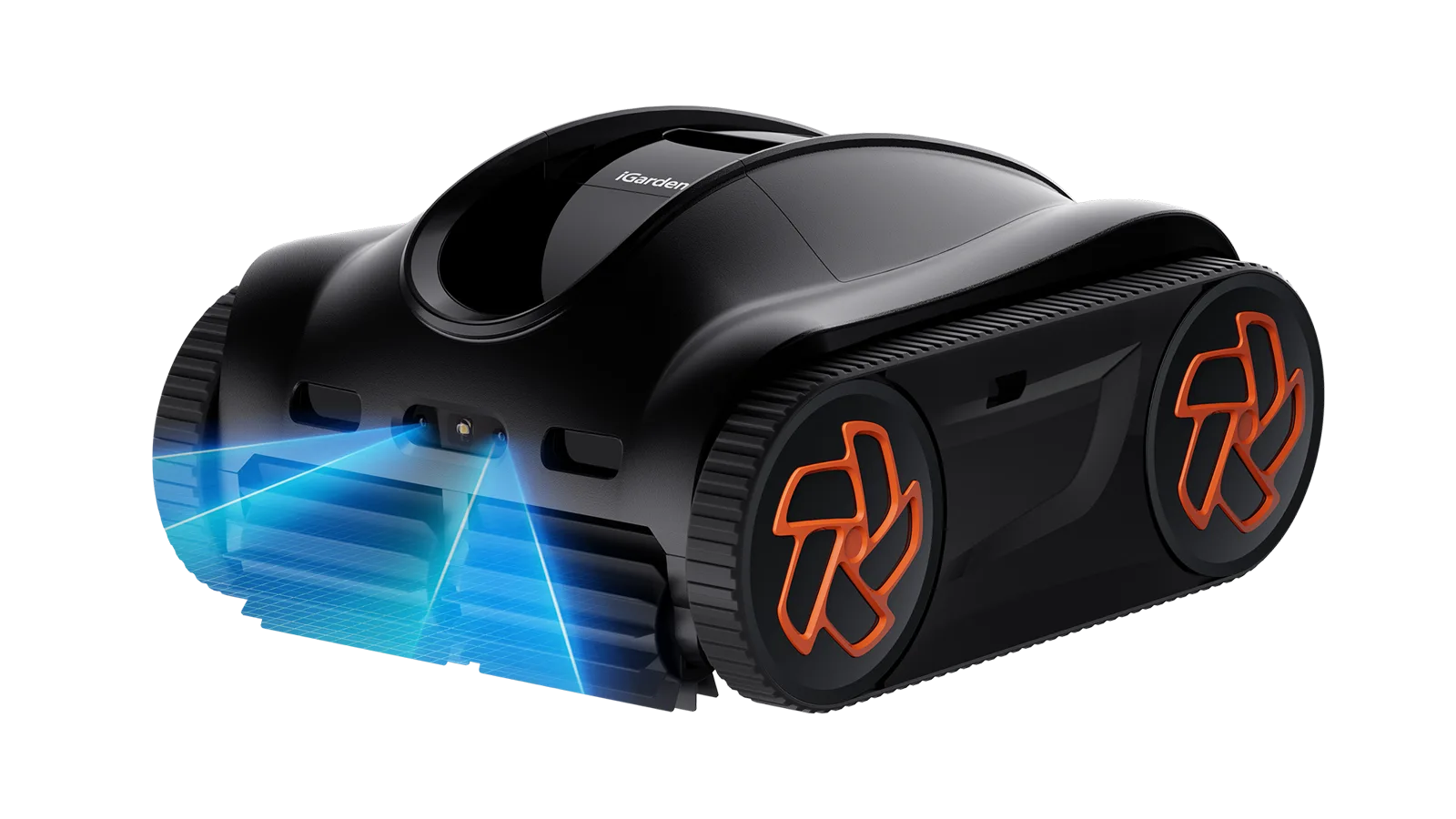
Core implementation review
Three storefront journeys from model choice to purchase
iGarden merchandises robotic pool cleaners and swim-jet trainers to the same outdoor households, but the fit questions are not interchangeable. The storefront splits those tasks in the catalog, then records power, coverage and installation as product and variant data. Search, cart and market entry stay shared, so a seasonal campaign does not fork checkout.
Project context
Define how customers choose before defining the storefront
Buyers start with pool type and area, then compare floor-only versus wall and waterline coverage, runtime, path planning, suction and filtration. K/K Pro, M1-AI and KN ranges need a clear matrix to justify price differences.
Shopify PDP and collection frontend, specification and comparison modules, responsive product storytelling and purchase-flow support.
Keep pool cleaning and swim training on separate option paths
Shoppers enter a cleaning or training collection first, lock a host by pool size, coverage or installation, then treat colour and kits as variants and mounts as related products.
- 01Enter a cleaning or training collection
- 02Lock the host by pool size, coverage or install conditions
- 03Map colour and in-stock kits to variants
- 04Offer nozzles, mounts and consumables as related products
Implementation
- Shopify collections split pool-cleaning from swim-training tasks so one grid never mixes two buying questionnaires.
- Power, coverage and installation live on the product object, available to the product page and search rather than buried in rich text.
- Variants represent sellable configurations only; accessories stay related products so the variant matrix does not absorb every nozzle and mount.
Deployment and acceptance
- Pool specification and seasonal offer copy sit in theme schema settings for merchant edits.
- Hosts and accessories remain product and variant records; Predictive Search returns collection and product suggestions along the same task split.
- A shopper meets the relevant questions before seeing a host product.
- New hardware mainly needs collection membership, specification fields and related-product links rather than a rewritten page template.
View script and Shopify API evidence
predictive-search.jsPredictive Search APIWhen a swim-jet setting changes, the structure shot and the form must follow
On Swim Jet X and Swim Jet P, the first screen has to make jet direction, mounting width and packed size checkable. An option change should move media, price and the submitted variant together.
- 01Resolve the active product options
- 02Broadcast variant state through pubsub
- 03Refresh gallery, zoom and price
- 04Submit that same variant from the product form
Implementation
- product-form.js owns add-to-cart on the product template and always submits the active variant, not a display-only selection.
- media-gallery.js and product-modal.js subscribe to the same change so the main image, thumbnails and zoom follow the configuration.
- pubsub.js fans variant state between form, media and price so widgets do not each re-interpret the option.
Deployment and acceptance
- Shopify section events remount gallery and add-to-cart bindings after a theme-editor reload, preventing dropped or duplicate listeners.
- Swiper 11 drives carousels and progressive-image.js loads media; long specifications collapse on mobile so the cart drawer never covers installation copy.
- Training video keeps a pause control and a reduced-motion path so clips do not block a dimensional check.
- A power or installation change keeps structure imagery, price and cart identity aligned.
- Desktop can pair a training scene with the buy box; mobile still supports checking fit and adding the host.
View script and Shopify API evidence
product-form.jsmedia-gallery.jsproduct-modal.jspubsub.jsswiper-bundle-11.min.jsprogressive-image.jsanimations.jsShopify section eventsWrite the host, add-ons and seasonal discount back into one drawer
After a high-consideration host is added, nozzles, mounts or consumables still need a path in, and promotional state has to be visible on the current lines.
- 01Submit the host variant from the product form
- 02Attach add-on products to the same cart
- 03Refresh the drawer from Ajax Cart and the theme discount scripts
Implementation
- Add, change and update requests go through Shopify Ajax Cart, and the returned cart JSON is the only line-item source.
- additional-product.js attaches nozzles and mounts to the current cart context instead of opening a second checkout.
- igarden-cart.js and igarden-cart-discounts.js refresh line items and discount display in the theme layer so an applied offer stays visually distinct from the primary add control.
Deployment and acceptance
- cart-drawer.js, cart.js and cart-notification.js keep quantity, removal and feedback inside the drawer; quantity-popover.js reports quantity without competing with the main button.
- Sold-out, kit add-on and discount-applied states stay distinguishable; seasonal copy edits do not require changes to the cart-discount scripts.
- Shoppers can add a host and complete accessory selection on the same page, with discount state visible on the current lines.
- Merchants can update seasonal offers without rewriting add-to-cart or drawer behaviour.
View script and Shopify API evidence
product-form.jsadditional-product.jscart-drawer.jscart.jscart-notification.jsigarden-cart.jsigarden-cart-discounts.jsquantity-popover.jsCart Ajax: addCart Ajax: changeCart Ajax: updateOperational handoff
The operating team can continue after launch
- Collections split pool cleaning from swim training, so robotic cleaners and Swim Jet hosts sit in the task a shopper actually came to solve.
- Power, coverage and installation live on the product; colour and in-stock kits are variants; nozzles, mounts and consumables stay related products.
- Specification and seasonal offer copy are merchant-editable schema settings, so pool-fit language is not frozen into a one-off marketing block.
- Checkout preloads use locale=en-US, so the default transaction language is US English.
- localization-form.js is the storefront region form; pickup-availability.js queries local pickup.
- Plug type, voltage, pool season, delivery windows and warranty are destination-specific. Host specifications can stay shared, and market copy should be edited without changing igarden-cart.js.
Research notesPublic sources and verification boundary
Public research sources
Content verification
Industry, product and observable feature notes are verified against the brand site. Apps, admin configuration and commercial data that cannot be confirmed from the storefront are not inferred. WESWOO scope is stated only from project records and client authorization.
Public information last reviewed: 2026-08-12