
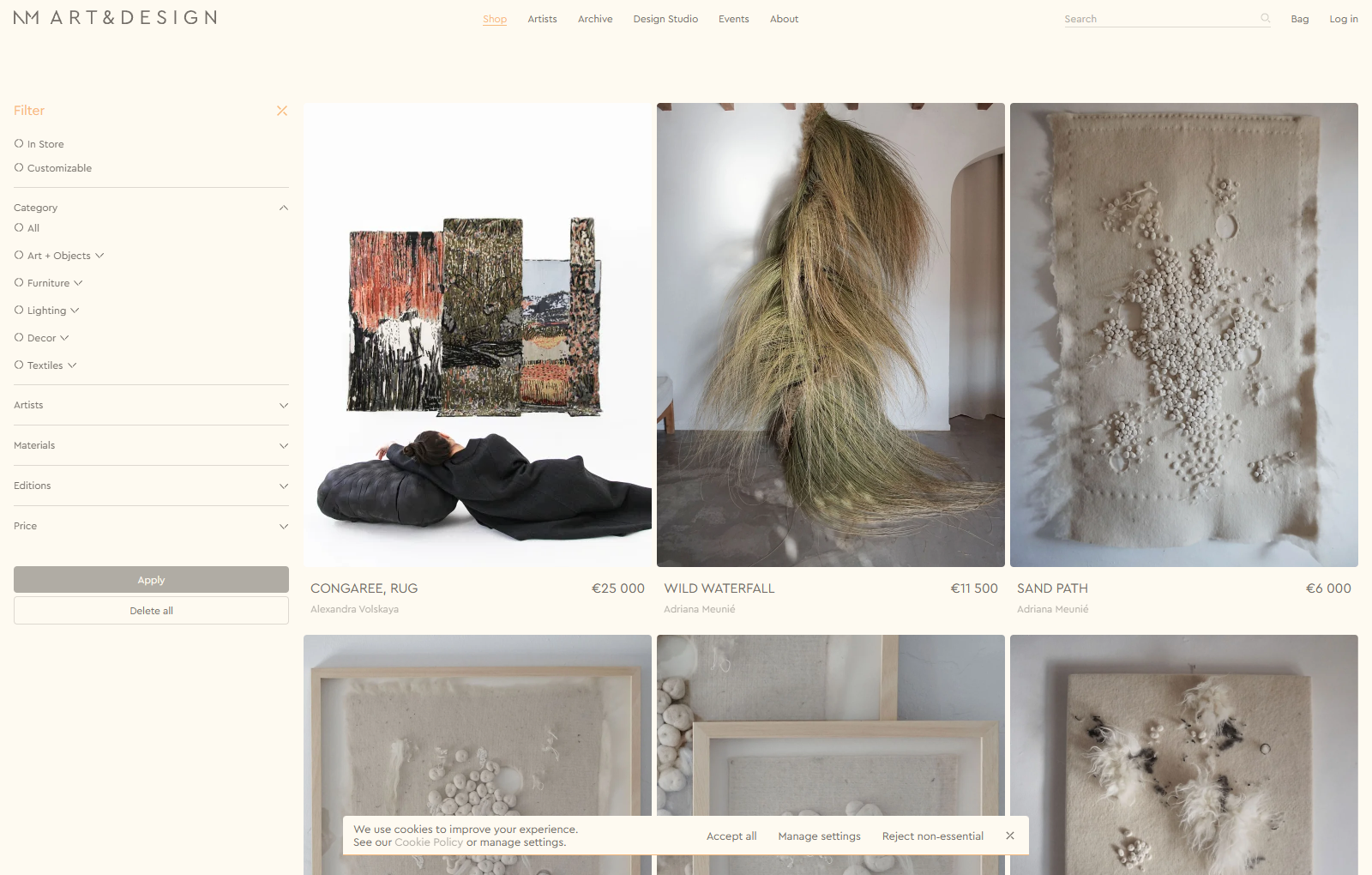
NM Art & Design brings sculpture, ceramics, textiles, lighting and collectible furniture together in a gallery-like catalogue. ESH Gruppa designed the experience. The public site lets visitors browse by work or artist, and the Ignith Lamp page shows how an enquiry can begin without leaving the work behind. This is a design case study followed by a proposed Shopify implementation. Design case study · Live product page
Design decisions
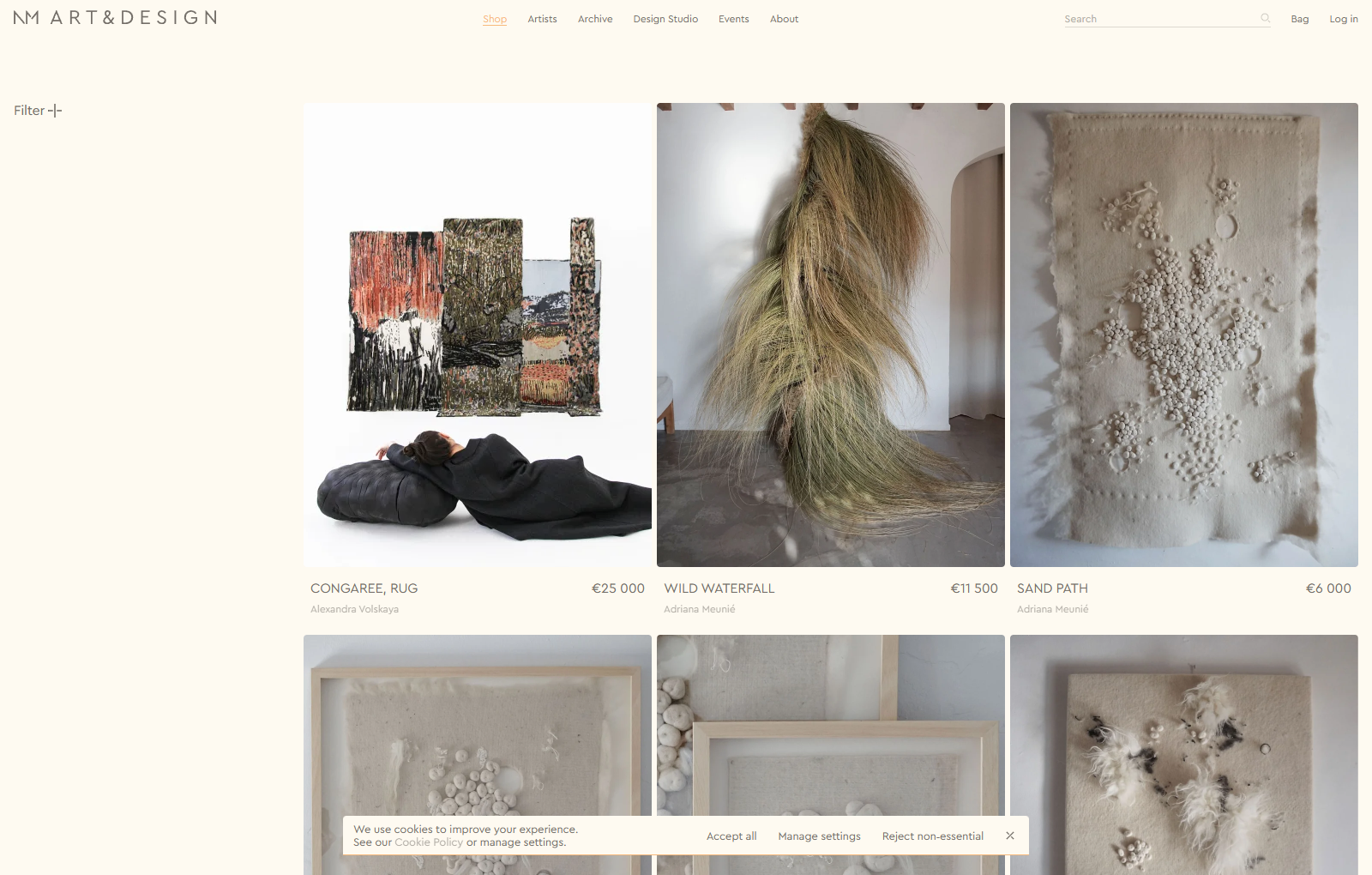
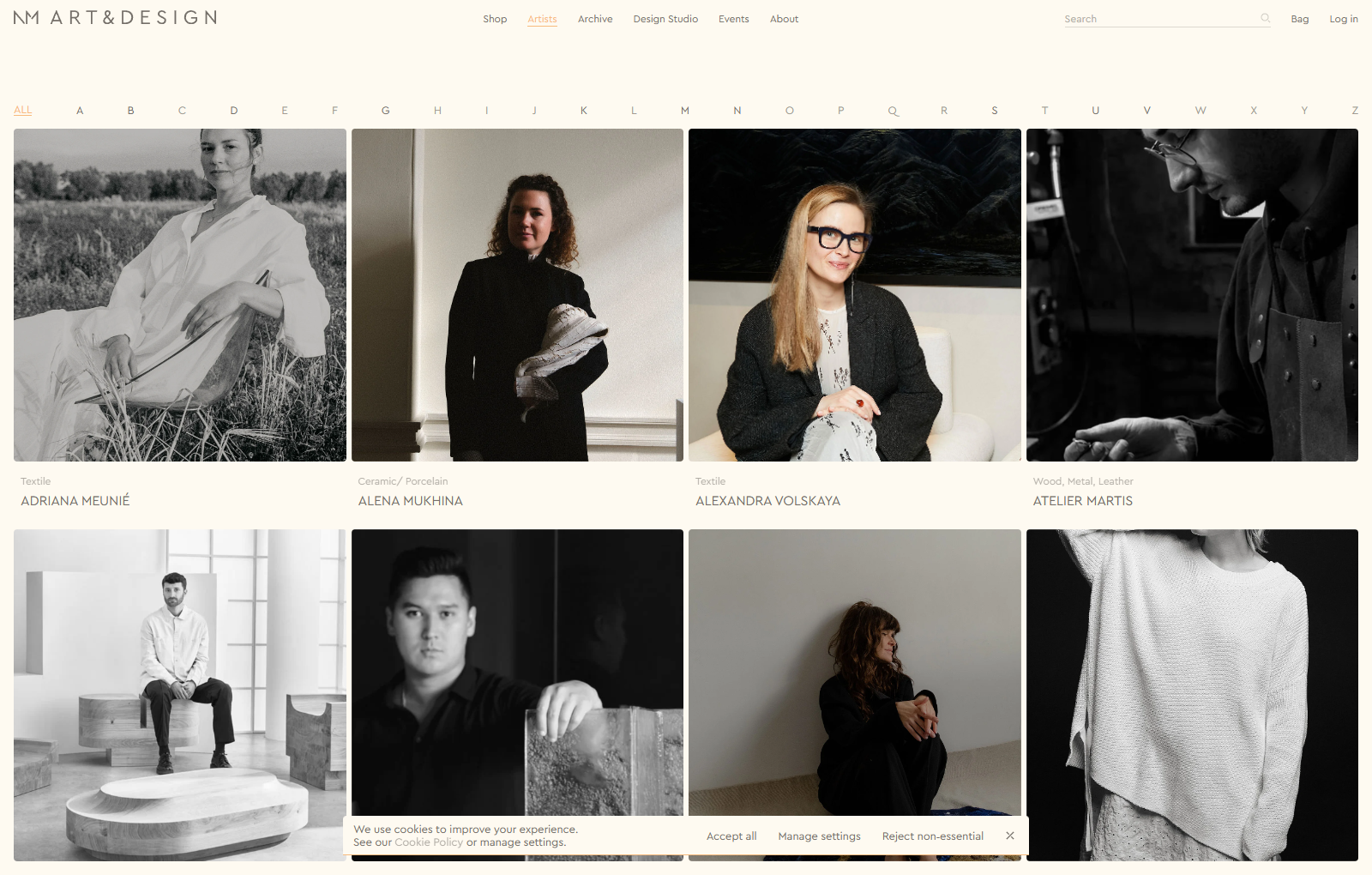
Give the artwork the strongest visual signal. Black, warm greys and a pale canvas make room for the objects’ materials. A warm accent identifies important actions. The live enquiry page uses it on both Enquire and Send. Large uppercase titles, thin arrows and plus signs leave the photography room to breathe. The desktop catalogue shows three columns, while the artist directory shows four and has a separate alphabet index.
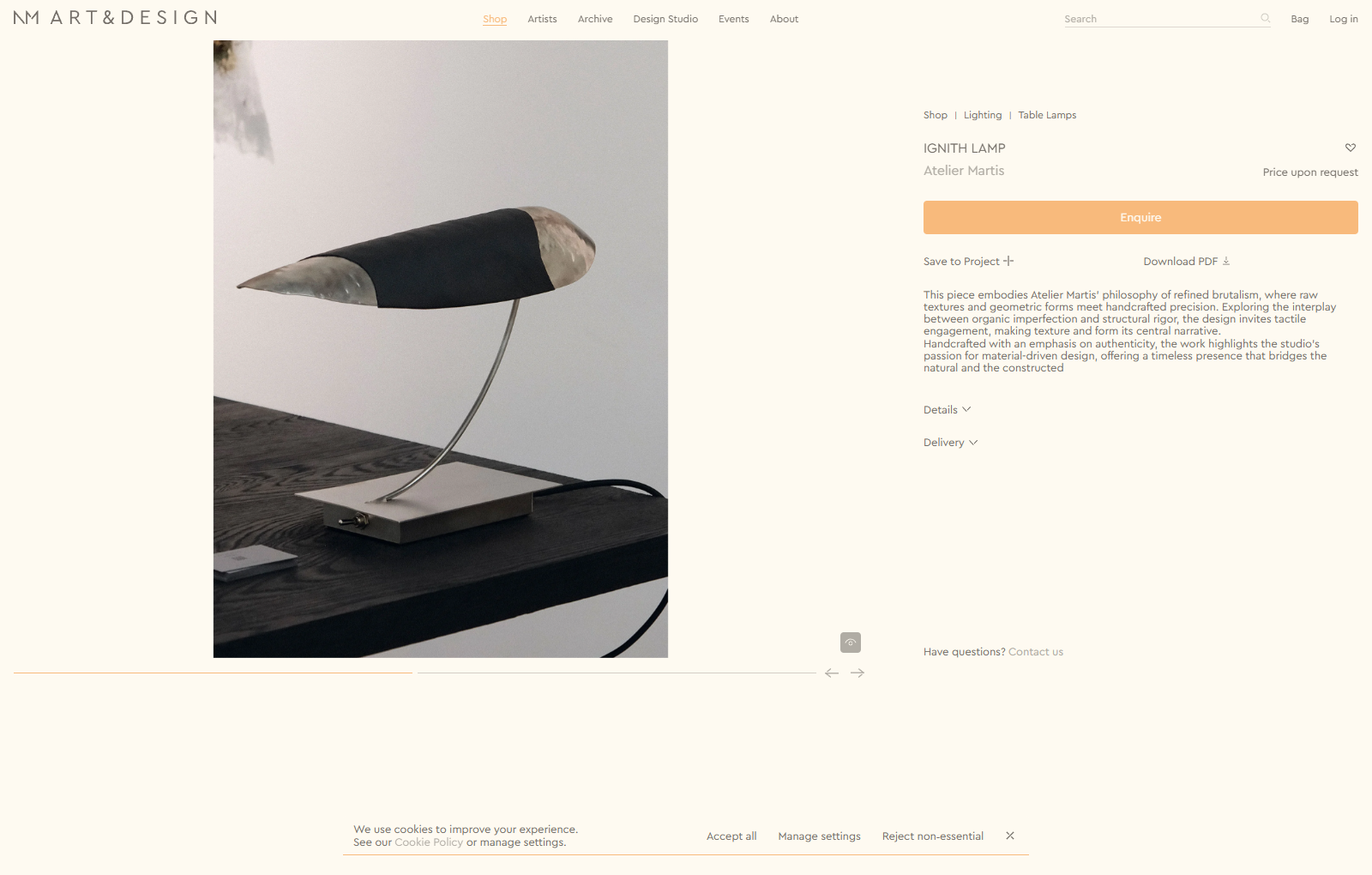
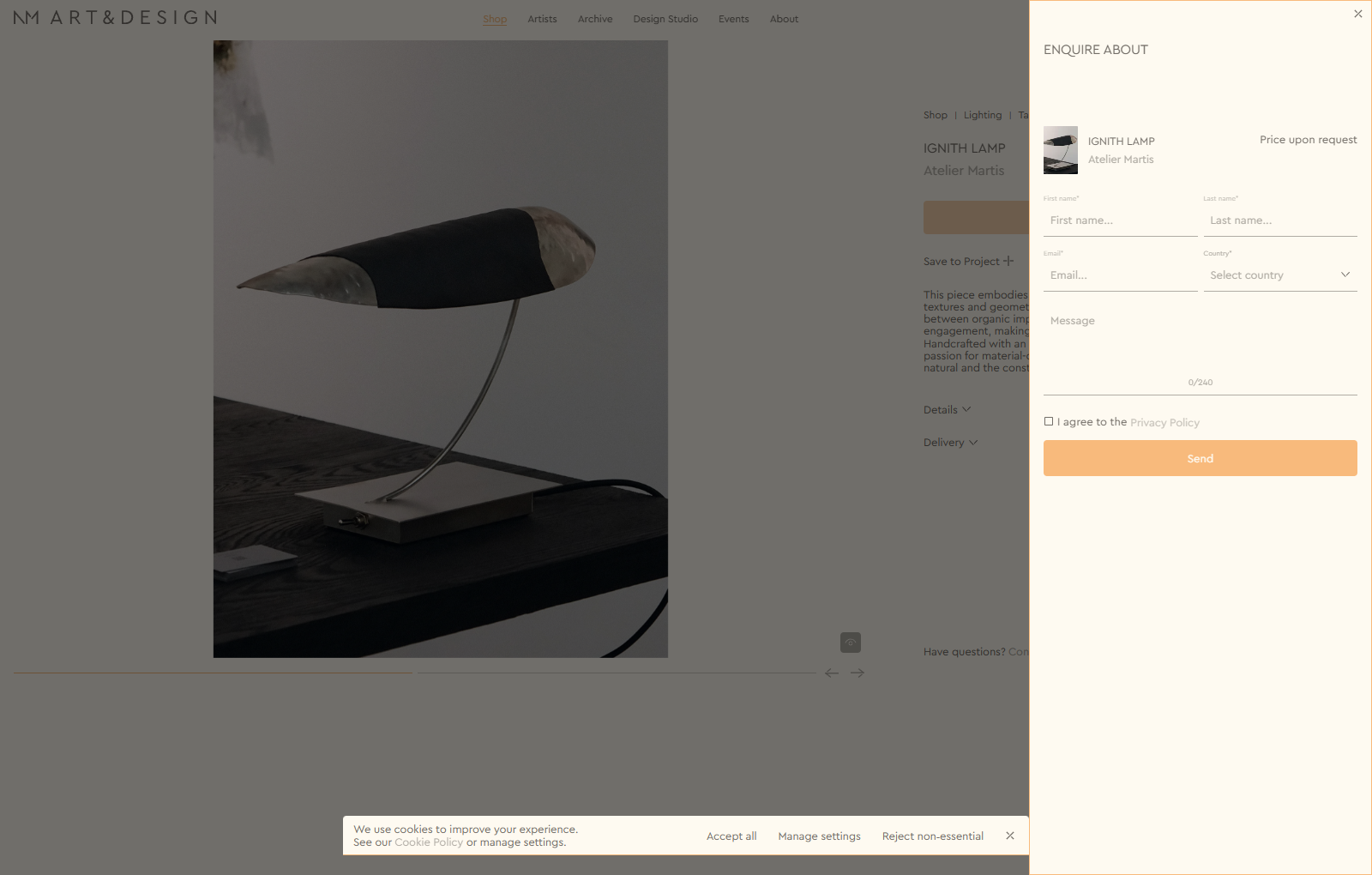
Support two buying paths. A priced, purchasable piece can go to the bag. A piece that needs a quote can say Price upon request and open an enquiry drawer. On the Ignith Lamp page that drawer keeps the title, artist, thumbnail and pricing status in view. Name, email, country and a short message give the seller enough context to follow up. The site is doing more than collecting an email address: it carries the visitor’s selection into the next step.
Give professional buyers a place to assemble a room. Save to Project and Download PDF sit under the main action. The design case explores named projects, shareable selections, documents and invoice-based payment. Public pages show the save and download entry points. Logged-in permissions and payment behaviour were not tested for this article. Artists, exhibition archives and product pages also offer routes back into the catalogue rather than treating each item as an isolated listing.
Six Shopify modules
| Module | What the case shows | Data and implementation | Front-end and acceptance check |
|---|---|---|---|
| Gallery grid and menu | Spacious desktop grids and a compact menu | Start with an Online Store 2.0 theme. Define canvas, text and accent variables and adapt the theme menu drawer. | Use CSS Grid and test narrower viewports. A long title, portrait image and price status should all remain legible. Check keyboard focus when the menu opens and closes. |
| Artist index and exhibition archive | Alphabet navigation, material labels and related works | Define artist and exhibition metaobjects, and reference the artist from the product. Enable metaobject web pages if artists need their own URLs. | Render artist information from the reference. For related works, maintain explicit references or build a supported lookup. A product-to-artist reference does not automatically create a reverse list. |
| Buy and enquire | A priced buy path and a drawer for quote-led work | Store the transaction mode on the product or variant. Keep size, finish, year and edition in separate fields. | Read the current variant in the buy-button area. Verify quick add and alternate sales paths too. Include the selected variant and product URL in the enquiry instead of assuming the form knows them. |
| Filters and selected chips | Availability, category, artist, material, edition and price | Configure filters in Search & Discovery. Keep made-to-order separate from inventory availability, using a supported field type. | Use theme facets for the desktop panel and mobile drawer. Test selecting, removing and clearing filters, including a combination with no results. |
| Product and project PDFs | A way to share specifications with a client | Read the same structured data used on the product page. Use print styles for a save-to-PDF workflow or a server-side exporter for a downloadable file. | Check size, finish, variant, quantity and whether prices should appear. Keep quotations as snapshots, separate from a current specification sheet. |
| PRO projects and invoice-led payment | Named selections, a shareable project and a payment workflow | Start with the project data and its permissions. Evaluate a wishlist app against the actual sharing requirements or build a dedicated module. Use Draft Orders for reviewed quotes and assess native B2B terms separately. | Test owner, read-only recipient and unauthorised visitor. Basic, Grow, Advanced and Plus have native B2B features, with plan-specific differences. Manual payment leaves an order pending until payment is received and recorded. |
Metaobject web pages · Storefront filters · B2B plan features · Draft-order payments
Three checks before launch
Images. Identify which image actually determines Largest Contentful Paint. Prioritise that image and give the browser responsive sizes. Defer images outside the initial viewport and load lightbox assets when needed. Check the request waterfall on mobile rather than loading every slide at the same priority. Shopify theme performance
Enquiries. In a test submission, confirm that the seller receives the right product, variant and destination. Record a GA4 generate_lead event only after a successful submission and where consent allows. Keep qualified enquiries, quotations and completed sales as distinct steps. GA4 recommended events
Specifications. Render material, dimensions, colour, year and edition as readable text. Keep the product page, PDFs and any applicable Product JSON-LD aligned. Avoid publishing a price for an offer that does not exist. Change one measurement in a preview theme and see whether all intended outputs follow it. Google product structured data
Start with one real piece customers can buy, one they need to enquire about and one that belongs in the archive. If the three paths work from the catalogue through to the seller’s next action, the team has a concrete basis for deciding how much of the professional workspace to build.
WESWOO — Shopify Storefront Development
We help Chinese brands expand internationally with storefront development and Shopify Plus integration services, supporting their cross-border commerce operations.
- Shopify storefront branding
- International UI design
- Multichannel social media marketing